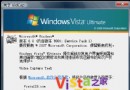
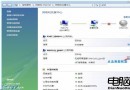
暴雪即將推出《星海爭霸 2》,玩家擔心 Vista 相容性。實測 Vista Ultimate (Build 6000) 未關閉 UAC 下,星海爭霸 1.13F 與 1.14 均可正常執行。
對戰平台 (如 VS 1.1) 可能無法運行,解決方案:
- 嘗試使用綠色版對戰平台。
- 使用 Vista 內建「程式相容性精靈」調整:
Win+R 執行 %systemroot%\System32\mshta.exe res://acprgwiz.dll/compatmode.hta
選「手動尋找程式」→ 選「Windows XP SP2」→ 瀏覽選擇對戰平台主執行檔 → 勾選「以 256 色執行」、「640×480」、「停用桌面合成」→ 勾選「以系統管理員身分執行」→ 完成。
- 若仍失效,參考微軟官方 應用程式相容性工具 (ACT) 進階調整。
本體遊戲相容性良好,僅第三方對戰工具需額外調整。