Windows XP Windows 7 Windows 2003 Windows Vista Windows 綜合教學 Linux 系統教學
Windows 10 Windows 8 Windows 2008 Windows NT Windows Server 電腦軟體教學

Windows Vista 系統更新常見問題新手必看:安裝失敗排查、校園網更新、清理殘留檔案、關閉自動更新提示

編輯:Windows Vista 教學

整理 Vista Windows Update 高頻問題與對策。

1. Windows Update 安裝補丁失敗怎麼辦?

依序排查:

  1. 執行 regsvr32 wupdinfo.dll 重新註冊 Windows Update 元件。
  2. 檢查系統日期是否正確(日期過早會導致更新失效)。
  3. 嘗試使用代理伺服器(推薦北美節點)或換時間連線。
  4. 清空 IE 暫存檔,刪除 C:\Program Files\WindowsUpdate\V4 下除 XML 外的所有檔案,確認 IE 啟用 ActiveX 支援。
  5. 確認 443 通訊埠(SSL 專用)已開啟。
  6. 執行 regsvr32 iuctl.dll /u,搜尋並刪除系統中所有 iuengine.dll 和 iuctl.dll。
  7. 將錯誤代碼複製到微軟網站或 Google 搜尋解決方案。盜版安裝盤常無法使用 Windows Update。
  8. 實在無解,嘗試下載補丁離線安裝。

2. 校園網/難連外網用戶如何方便更新?

  • 使用代理伺服器連線 Windows Update。
  • 使用國內鏡像站(與微軟同步):西安交通大學、廈門大學、上海交通大學等。

3. 更新後殘留大量安裝資料夾如何清理?

多因安裝中斷導致。使用 Remove Hotfix Backups 工具,點擊「Remove Backup Files and Add/Remove entries」一鍵清除。

4. 剛更新完系統,為何仍頻繁提示有新補丁?

可能原因:更新站點列表仍顯示已安裝補丁、自動更新提示功能開啟。
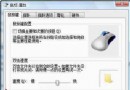
關閉提示:系統內容 → 自動更新標籤 → 取消勾選「保持我的電腦最新」。

掌握以上技巧,讓 Vista 系統更新不再頭痛。

Copyright © Windows教程網 All Rights Reserved