傳統 Vista+XP 雙系統由 Vista 開機管理員(bootmgr)負責,選單繁瑣。本文採用「備份 MBR + XP boot.ini」方案:XP 的 NTLDR 讀取 boot.ini,選單中直接鏈結 Vista 的 MBR 備份檔,實現單層選單、互不干擾。
debug、Windows 下 WinHex 13.7 SR7、Linux 下 dd。MBR.1。MBR.2。MBR.2 複製到 XP 系統磁碟根目錄,編輯 boot.ini 新增:C:\MBR.2="Microsoft Windows Vista Ultimate"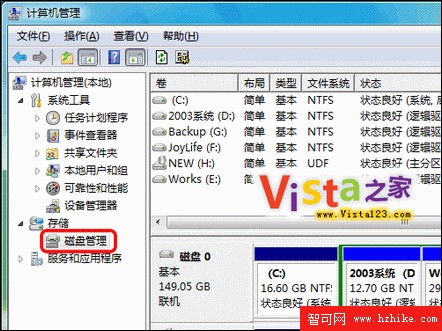
注意:若用 PQ 分區可能導致 boot.ini 引導 Vista 失敗,建議用 XP/Vista 內建工具或 spfdisk 重新分區。
Vista 系統下 NTFS 與 FAT32 檔案系統互轉完整指南
Vista 回收站隱藏功能大揭密:批次重命名、加密資料夾、自訂右鍵選單等 15 招實用技巧
Windows Vista 記憶體優化策略:虛擬記憶體、記憶體碟與 Superfetch 完整分析
Vista 音訊設定「允許應用程式獨佔裝置」導致 QQ 視訊無聲音?取消勾選即可修復
Vista ADSL 加速兩大法:優化大師一鍵優化與註冊表手動調整 TCP 窗口
Vista 通知區域圖標殘留清理:刪除註冊表 IconStreams/PastIconsStream 秒淨