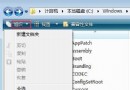
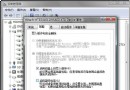
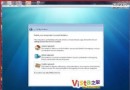
聯想天逸預裝 Vista,自動升級 SP1 重啟時黑屏,錯誤模塊 defrag.exe(磁盤碎片整理)。經查證:聯想「一鍵恢復」軟件會禁用系統磁盤整理,導致 SP1 安裝過程調用 defrag.exe 失敗死機。
defrag.exe
Windows 下直接卸載「一鍵恢復」(備份數據保留在隱藏分區),升級 SP1 完成後重裝一鍵恢復,功能完全不受影響。
新版已兼容 SP1。或暫時禁用「閃電恢復」模塊升級(會丟失增量備份,建議先手動備份重要數據)。
兩法任選一,均可順利升級 SP1 修復漏洞。
Vista 工作列輸入法消失/無法輸入中文?三大類九種解決方案完整彙整
延長硬碟壽命:Windows Vista 四大傷碟功能與關閉技巧
秒關 Vista UAC 保護:任務管理器重啟 Explorer 免重開機
Vista 實用技巧大全:12 招解決最常見困擾
Vista 刪除系統資料夾「存取被拒」?奪取擁有權 → 給予完全控制 → 遞歸套用
Ghost 10 完美支援 Vista:系統備份與還原全攻略
不想用 Vista 但想要 Vista 好功能?Lifehacker 教你在 XP 免費打造「偽 Vista」體驗
Windows Vista 電源管理完全指南:睡眠模式、電源計畫與關機鍵自訂