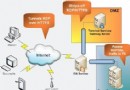
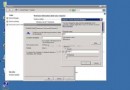
虛擬主機環境對 IIS 安全性要求極高。本文彙整 10 項實戰驗證的鎖死設定,涵蓋 ASP 執行權限、元件封鎖、指令碼加密、URLScan 提取、標頭隱藏、錯誤修復、SYN Flood 防禦、版本資訊隱藏等核心面向。
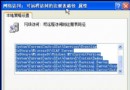
cacls %systemroot%\system32\scrrun.dll /e /d guests 禁止 Guests 存取regsvr32 scrrun.dll /u /s 註銷組件 (註:網站 FSO 功能將失效)cacls %systemroot%\system32\shell32.dll /e /d guestsregsvr32 shell32.dll /u /ssce10chs.exe 安裝產生 screnc.exescrenc /l vbscript source.asp destination.asp 產生加密版 (中文無法加密,僅適合英數混合碼)。iislockd.exe /q /c /t:c:\urlscan 僅提取 URLScan 不執行完整鎖定。cscript c:\inetpub\adminscripts\adsutil.vbs set w3svc/UseHostName True → 重啟 IIS。cscript c:\inetpub\adminscripts\synciwam.vbs -v 同步 IWAM 帳號密碼至 COM+。Windows Registry Editor Version 5.00 [HKEY_LOCAL_MACHINE\SYSTEM\CurrentControlSet\Services\Tcpip\Parameters] "SynAttackProtect"=dword:00000002 "TcpMaxHalfOpen"=dword:00000064 "TcpMaxHalfOpenRetried"=dword:00000050 "TcpMaxConnectResponseRetransmissions"=dword:00000001 "TcpMaxDataRetransmissions"=dword:00000003 "TCPMaxPortsExhausted"=dword:00000005 "DisableIPSourceRouting"=dword:00000002 "TcpTimedWaitDelay"=dword:0000001e需重開機生效。參數說明見原文註解。
%SystemRoot%\system32\dllcache 同名 DLL → 用 16 進位編輯器修改:W3SVC.DLL (Web)、FTPSVC2.DLL (FTP)、SMTPSVC.DLL (SMTP)Microsoft-IIS/5.0 替換為自訂字串 → 重啟 IIS。這 10 項設定構成虛擬主機 IIS 的鋼鐵防線,建議逐項落實並定期複核。
被忽略的 Windows Server 2008 九大隱藏亮點
Windows 2000 也能玩程式相容模式:Application Compatibility Tool 使用指南
Windows 2000 檔案系統選擇指南:FAT、FAT32、NTFS 特性、簇大小、相容性、轉換對照
Windows 2000 音量控制完整指南:播放/錄音/語音輸入三模式、單元獨立調節、均衡與靜音
Windows 2000 磁碟配額完整配置指南:啟用、限制/警告層級、事件記錄、NTFS 必須、壓縮不影響計算
VB.NET 程式設計:透過 ADSI 修改 Active Directory 使用者密碼