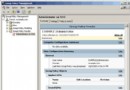
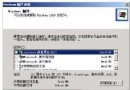
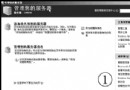
透過控制台的「新增或移除程式」,可管理電腦上的應用程式,並安裝初始安裝時未包含的 Windows 元件(如網路服務、IIS 等)。
同樣透過「新增新程式」指定網路路徑,Windows Installer 會自動處理安裝、修復或功能啟用。
注意: 此工具僅能安裝為 Windows 撰寫的程式。
Windows Server 2008 密碼重設磁碟:建立與使用完整圖文教學
Windows Server 2003 DHCP 服務部署全攻略:從安裝到租約優化
Windows Server 2008 June CTP:IIS 7.0 正式成為 Server Core 角色,PHP 效能提升 8 倍
Windows Server 2003 下 ASP 程式除錯常見錯誤與解決方案:瀏覽器顯示詳細錯誤、Access 連線問題
Windows 2000 Advanced Server 安全配置實戰指南:版本選擇、安裝順序、服務精簡、連接埠與 IIS 強化
Windows 2000 秘密武器:Snmputilg.exe SNMP 圖形化查詢工具詳解