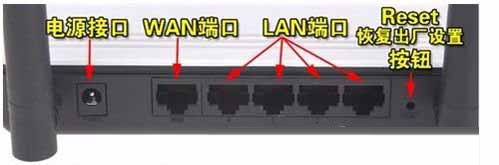
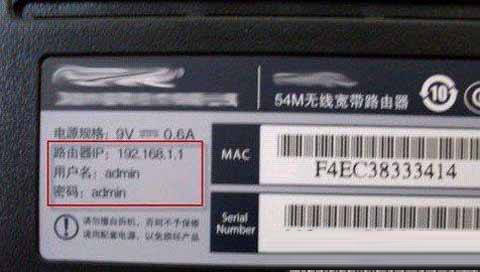
路由器密碼忘記,最直接辦法是恢復出廠預設:
四步驟快速找回管理權限。
藍畫面 0x0000007B 急救:驅動遺失、註冊表殘留、SATA 模式不符三大成因與解法
Wi-Fi 安全六大黃金法則:加密、密碼、VPN、HTTPS、自動連線、路由器設定
解決 Windows CMD 視窗中文顯示亂碼問題
打造綠色軟體必備:批次檔路徑處理與環境變數實戰技巧
磁碟快取寫入功能全解析:開啟方法、常見故障與解決方案
Windows 任務排程器實現定時啟動服務
修改 Linux SSH 連接埠 22 的兩種安全實作方案
插入 USB 隨身碟跳出「此裝置可提升效能」?啟用 BIOS EHCI/USB 2.0 控制器解決