systeminfo(無需額外軟體)cmd /k systeminfo → Enter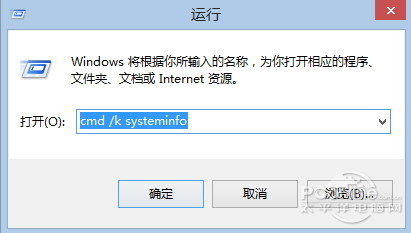
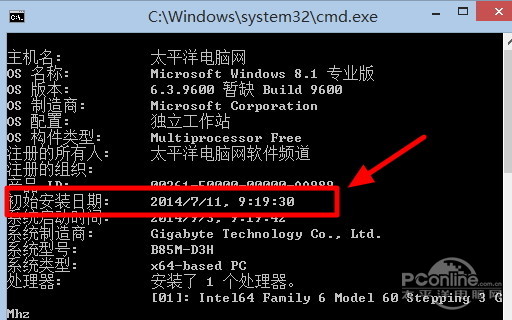
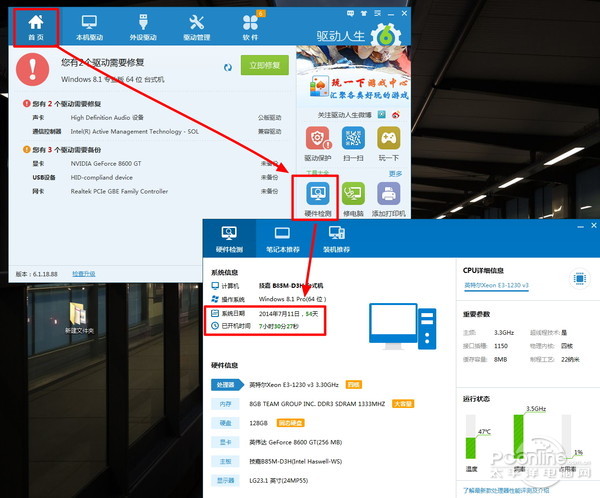
| 項目 | 驅動人生 6 | systeminfo |
|---|---|---|
| 安裝日期 | ✓ | ✓ |
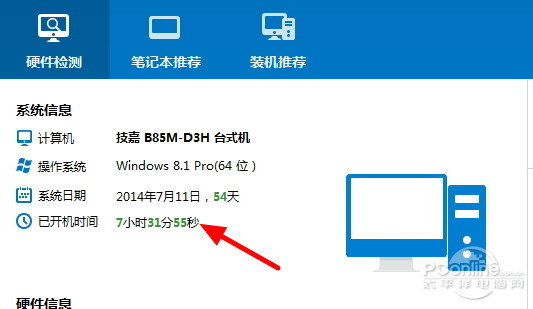
| 已使用天數 | ✓ 自動計算 | ✗ 需手算 |
| 需安裝軟體 | 是 | 否 |
| 適用版本 | Win8.1/7/XP | Win8.1/7/Vista/XP |
$install = (Get-CimInstance Win32_OperatingSystem).InstallDate
$days = [math]::Floor((Get-Date) - $install).TotalDays
"系統安裝日期: $install"
"已使用天數: $days"
若不想裝額外工具,systeminfo 最快;需直觀天數可用 PowerShell 一行指令搞定。