厭倦每次開機必須手動點擊「桌面」磚塊?兩步驟實現自動進入桌面:
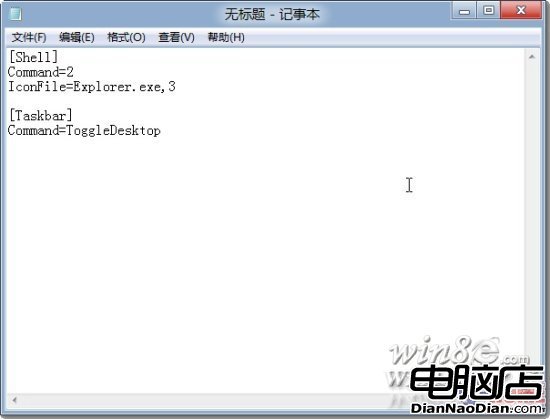
[Shell]Command=2IconFile=Explorer.exe,3[Taskbar]Command=ToggleDesktop
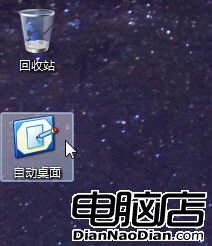
自動桌面.scf
shell:startup
測試:開幾個視窗雙擊腳本,若全數最小化即生效。
微軟 7 月補丁星期二:修復 50+ 安全漏洞,含 6 項關鍵更新
分析師預測:2020 年 Windows 授權費將降至 250 元人民幣
雅虎新版首頁大量採用 Windows 8 視覺元素
CNET 指 Windows 8 開機自啟程式氾濫,呼籲開發者克制、微軟提供更好控制機制
微軟修復 Win10 激活錯誤,純淨安裝自動激活無壓力
Windows 10 將支援 eSIM 技術:應用商店直接購買流量,打造隨時聯網體驗
Google 推出「Google 時惠」團購搜尋服務:聚合主流團購網站資訊
微軟再度催促企業用戶棄用 Windows XP:2014 年停止支援