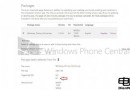
升級 9860→9879 遇錯誤代碼無法更新,官方建議:
C:\Windows\SoftwareDistribution
Dism /Online /Cleanup-Image /CheckHealth
Dism /Online /Cleanup-Image /RestoreHealth
Win10 Mobile 開始螢幕橫屏模式仍在開發中:導航列/狀態列圖示已適配,磚塊方向未變
Windows 8 介面變革大 老用戶適應困難 微軟面臨挑戰
Windows 8.1 安全性提升顯著,但非觸控裝置用戶升級動力不足
微軟準備向Insider推送新「開始」菜單設計:功能按鈕左側佈局、平板模式全屏應用列表
Win10 Build 10537 洩露:商店應用開關動畫、裝置管理員新圖示、Edge WebRTC 隱藏 IP
Surface 零售慘況:百思買/Staples 存貨充足、銷售員主推 iPad、不主動推薦 Surface
GHOST 異常情況深度分析與實戰對策(精簡版)
打造流暢動畫:微軟教你優化 Win 8 Metro 應用體驗