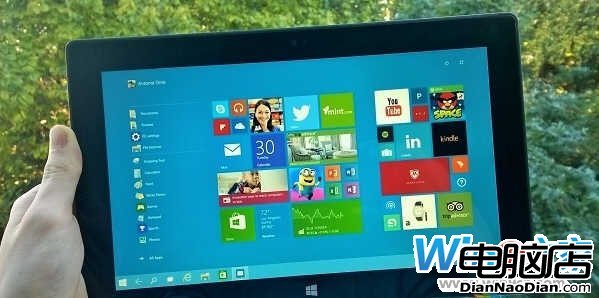
Build 9879 帶來全新開始螢幕與 Continuum 模式,雖 Bug 多(平板無法全螢幕),但可透過註冊表體驗:
HKEY_LOCAL_MACHINE\Software\Microsoft\Windows\CurrentVersion\ImmersiveShell\Launcher\
UseExperience
1
圖片與內容無關。恢復預設:將值改回 0 重啟 Explorer 即可。
0
NetMarketShare:Windows 8去年12月份額僅增0.7%,普及速度似Vista
AdDuplex:僅15.2% WP手機升級Win10 Mobile,WP 8.1仍佔81.1%絕對優勢
傳微軟今夏完成 Windows 8 開發,10 月正式發布
Windows 8 開發者預覽版首日下載破 50 萬次:Ballmer 稱重塑 Windows
Win8.1「啟動到桌面」設定面板曝光:安撫非觸控裝置用戶
Windows XP停服倒計時一周年:近四成電腦仍在用,企業遷移艱難
Linux Socket 設定 Mark 的必要性與應用:解決策略路由與連線追蹤問題
微軟 6 月補丁導致 1% Office 2013 無法啟動 官方建議重裝解決