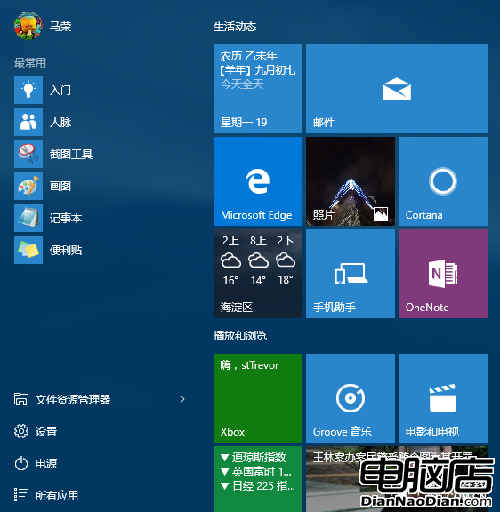
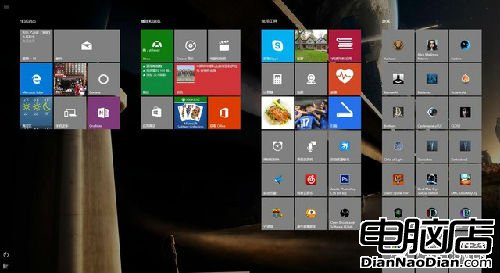
Win10 開始選單回歸但不同 Win7,提供高度自訂:
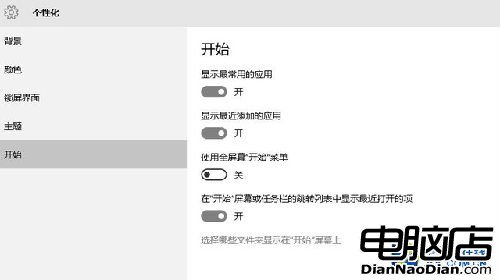
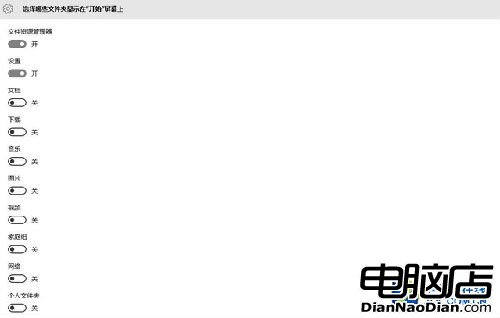
左側系統區 (常用/最近/設定/電源) 可在「設定 > 個人化 > 開始」開關與細部調整資料夾顯示。
懷舊者可開啟「使用全螢幕開始選單」體驗 Win8 風格。
右鍵開始按鈕快速存取「控制台」、「命令提示字元」、「磁碟管理」等。
Windows 8.1 新截圖曝光:Bing Travel 旅遊應用介面大幅簡化
CES 2014:微軟與 Windows 淪為邊緣,PC 廠商集體缺席
微軟更新 Windows 10 遠程桌面預覽應用,新增螢幕鍵盤擴展與固定功能
Windows Blue Build 9289 桌面壁紙曝光:開發代號「9」暗示 Win9 將至?
iPhone/iPad 銷售收入超越 Windows:後 PC 時代來臨?
微軟 WP 9 明夏能否準時推出仍是未知數:穩定性與企業級安全是優先考量
傳微軟明年 11 月發布 Windows 9:Beta 1 月、RC 7 月、RTM 10 月,仍無開始按鈕
Win10 Build 9879:OneDrive 不再強制,可選同步、開機不啟動