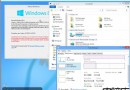
微軟向 Insider 快速通道推送 Build 14267,用戶發現新增更多 OneDrive 雲端備份功能 (至少 14257 版已存在但未受關注)。


此功能讓裝置設定遷移更便捷,新裝置登入同帳號即可快速恢復個人化配置。
Win8 Metro 應用僅限官方應用商店下載 微軟抽成 30%
Pwn2Own 2013:Chrome、Firefox、IE10、Java、Win8 全數淪陷,Safari 倖免
WP8.1 音樂 (Xbox Music) 需改善 5 大痛點:社交化、情景電台、雲端匹配、全球可用、用戶上傳
快速預覽版 Win10 為何提供 ISO 鏡像?微軟:幫助用戶測試新啟動方式 (舊版金鑰直接啟動)
WP8.1 視頻應用更新 2.6.115.0:修復租賃倒計時顯示錯誤、流媒體不適用提示、常規功能升級