Windows XP Windows 7 Windows 2003 Windows Vista Windows 綜合教學 Linux 系統教學
Windows 10 Windows 8 Windows 2008 Windows NT Windows Server 電腦軟體教學
您现在的位置: Windows教程網 >> Windows教程 >  >> Windows 綜合教學 >> Windows 資訊

Windows 10 Build 14278 將帶來改進的 OneDrive 備份功能,可個別控制應用、密碼與設定同步

編輯:Windows 資訊

微軟正著手改進 Windows 10 作業系統中 OneDrive 應用的備份功能。Thurrott.com 報導指出,在即將推出的 Windows 10 Build 14278 中,用戶將能針對應用程式、密碼、設定與帳戶分別啟用或停用 OneDrive 備份。
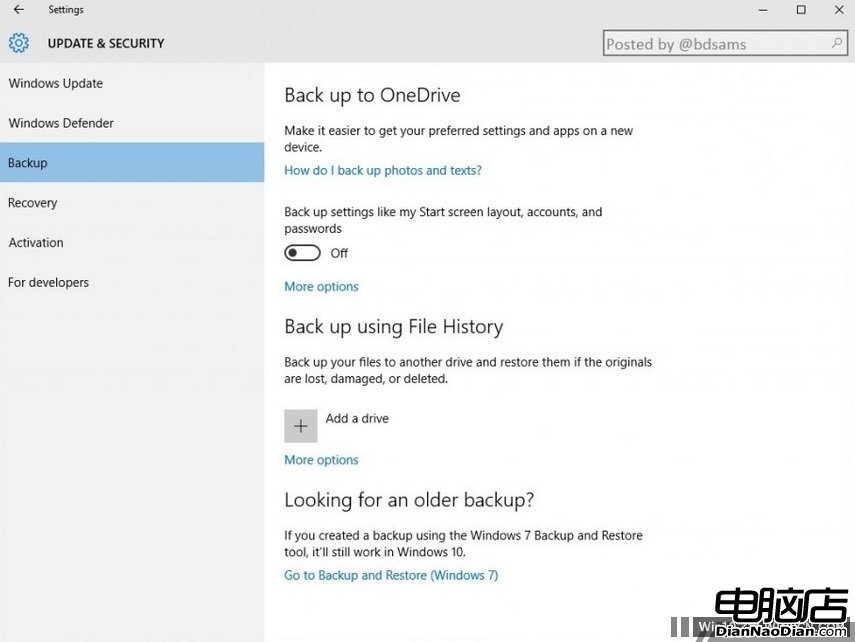
OneDrive 備份設定介面
Build 14278 新增 OneDrive 備份細項控制選項

功能細節

設定路徑位於:設定 → 更新與安全性 → 備份,介面設計參考 Windows 10 Mobile 既有邏輯。用戶可勾選欲備份的項目:

  • 應用程式資料
  • 密碼(含 Wi-Fi 憑證、網站登入資訊)
  • 系統設定(個人化、輸入法偏好等)
  • 帳戶設定

值得注意的是,微軟目前不允許「完整系統備份至雲端」,此功能僅針對上述特定類別資料進行同步。這項改進讓用戶能更精準控制雲端同步範圍,避免不必要的頻寬與儲存空間佔用。

Copyright © Windows教程網 All Rights Reserved