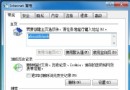
傳統關機需「開始 → 關機 → 關閉電腦 → 確定」四步點擊。利用捷徑 + 熱鍵實現真·一鍵關機。
C:\Windows\RUNDLL32.EXE user,ExitWindows
shutdown.exe -s -t 0
shutdown.exe -r -t 0
F12
進階:捷徑圖示可自訂 (內容 → 變更圖示),拖至快速啟動列/工作列更方便。
善用 Guest 帳號提升內網管控效率:三大場景實戰配置 (Vista/Win7/Win10 適用)
頑固軟體刪不掉?六大非常規卸載神技:QQ/Winamp/WinRAR/Defender/MsiCuu/超級兔子
「新增/移除程式」開啟緩慢?三招加速讓它秒開
巧用瑞星主動防禦為資料夾加鎖:免安裝第三方加密軟體
「自動播放」導致磁碟機無法開啟的偵錯實錄:從求助到自救的註冊表之旅
解決 winlogon.exe 進程佔用 100% CPU 的處理實錄
VMware NAT 模式上網完整排錯:服務、防火牆、ICS 衝突、版本陷阱
Windows Vista 核心新功能與上市資訊全解析