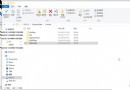
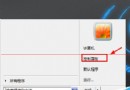
Win8 應用商店停留在載入畫面無法進入,依序嘗試以下方法:
wsreset → Enter,完成後重開商店。netsh winsock reset,重開機後再試。4.2.2.1、備用:4.2.2.2。sfc /scannow。首次出現可能為網路延遲或干擾,換網路環境或重開機常可自癒。上述方法適用於持續無法開啟的情況。提醒:Win8 商店僅提供 Metro 應用,傳統桌面使用者實用性有限。
Windows 8.1 內建管理員帳號無法啟動 Metro 應用程式 (如 PDF 閱讀器)?群組原則啟用 Admin Approval Mode 解決
Windows 10 IoT Core 物聯網版正式釋出:免費下載、支援 Raspberry Pi 2 與 MinnowBoard Max
Win10 Build 10125 新特性總結:圖標/開始菜單/任務欄大改進,Windows Hello 亮相
Windows 10 Mobile 騷擾攔截與黑名單功能完整設定教學
Win8/8.1 升級 Win10 免費嗎?首年升級終身免費,圖文教程詳解