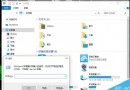
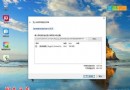
Ghost 版 Win7 常移除捷徑小箭頭,導致無法分辨捷徑與主程式。兩種恢復方法:
regedit
HKEY_CLASSES_ROOT\lnkfile
IsShortcut
下載「Win7/8 捷徑小箭頭移除/還原工具 1.0 綠色版」(38 KB),一鍵切換顯示/隱藏。
刪除 IsShortcut 後若箭頭未現,需對主程式重新「傳送至 → 桌面建立捷徑」。
安裝 Win10 選擇 32 位元還是 64 位元?記憶體 4GB 為分界建議
Win7 收訊息/聽音樂時音量自動變小?聲音控制台「通訊」頁籤選「不執行任何動作」即可關閉
Win10 Mobile 14328 修復設定介面英文顯示、通知中心快速操作消失 Bug
Win10 開機圖示巨大、字體模糊與解析度不符?調整文字大小 100% 並註銷,或重置電腦徹底解決
Win10 快速清空 D 槽:解除安裝程式 + 格式化分區兩步驟
Windows Server 2003 開關機優化:自動登入與關閉關機事件追蹤
Win10 新功能「敘述者」完整教學:開啟、語音切換與速度調整
Win8.1 更新後 Corsair Link 風扇失控?登錄檔關閉 USB 選擇性暫停修復