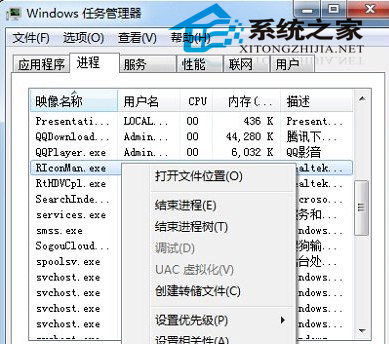
流氓軟體進程在工作管理員「結束工作」提示「拒絕存取」。透過服務管理停用其背景服務可破解。
此法針對以服務形式駐留的頑固程式,操作前請確認服務名稱對應目標軟體,避免誤傷系統服務。
Win7 內建 Sysprep 重置系統教學:保留檔案與軟體,一鍵還原初始體驗
Win10 正式版關閉 Windows Defender 完整教學:群組原則永久停用
Windows 9 技術預覽版深度解析:迷你開始選單、版本號 6.4.9834、現代應用視窗化、扁平化圖示
Win7 Word 提示「斷字功能不可用」兩種解法:取消西文斷行或安裝校對工具
Win7 管理員帳戶永久啟用兩大法:電腦管理與捷徑屬性
Win7 群組原則禁用螢幕保護程式:上班族無需等待喚醒
Windows 7 筆電 WLAN AutoConfig 服務無法啟動修復:登錄修復 + Winsock 重置
WinXP 螢幕倒轉?三種方法快速將畫面擺正