IPv4 位址枯竭,IPv6 提供龐大位址空間與更佳安全性。WinXP SP1 以上版本支援 IPv6,以下為完整設定流程。
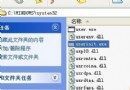
ipv6 install)。ipv6 if 查看介面編號(通常介面 4 為實體網卡)。netsh interface ipv6 add address "區域連線" fe80::a520:1314:1netsh interface ipv6 add dns "區域連線" 2001:251:e101::2需對端 IPv4/IPv6 位址資訊,假設:
ipv6 ifc v6v4 210.35.168.100 210.35.240.24ipv6 adu 4/2001:250:6c01:1000::2(4 為實體介面編號)ipv6 rtu ::/0 4/2001:250:6c01:1000::1ipv6 ifc 4 forwards 啟用介面 4 轉發,依需求開啟路由通告。
ping 2001:250:6c01:1000::1 若通聯成功,即完成 IPv6 部署。
雖 IPv9 概念近年被討論,但 IPv6 仍為主流過渡方案。WinXP 用戶可參考本指南提前佈局。
Windows 10/8.1 開始選單/工作列出現 TrayItem.{GUID} 錯誤圖示?直接刪除捷徑即可修復
Win10 Redstone 14295 推送:修復 Bug 為主,QQ 崩潰問題待查
Win7 升級 Win10 後軟體不相容?內建相容性疑難排解與手動設定雙重保障
Windows 10 10240 音量控制面板從橫向改為直向顯示:註冊表修改教學
華碩筆電升級 Win10 後螢幕失真閃爍完美解決:更新核顯驅動一招搞定
U 盤安裝 Win7 遇到「無法定位分區」?PE 複製開機檔 + bootsect 修復引導完整實戰