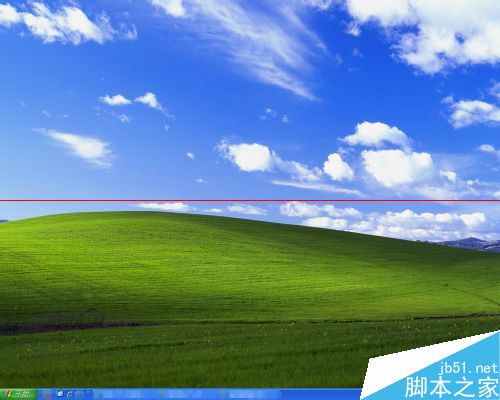
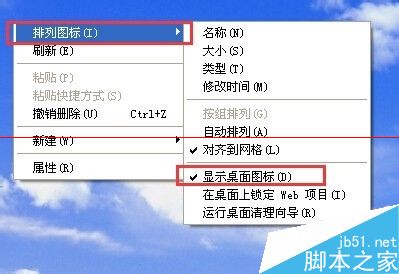
桌面空白處右鍵 → 「排列圖示」 → 確認「顯示桌面圖示」有勾選(有 ✓ 為顯示)。
explorer.exe 程序explorer.exe → 右鍵「結束程序」。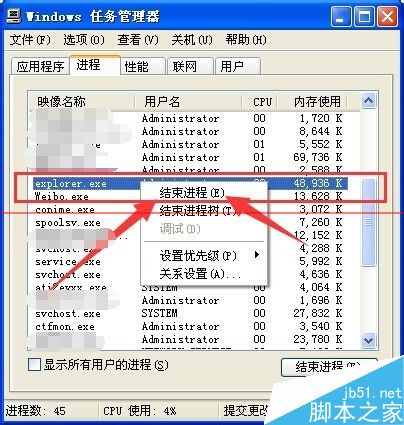
explorer.exe → 確定。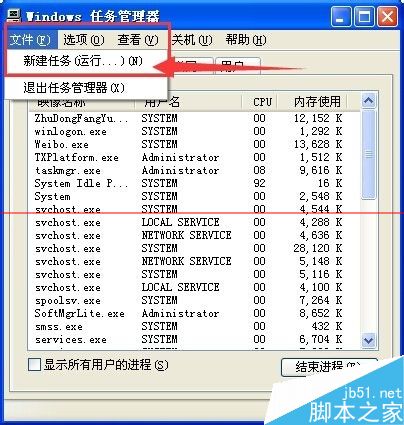
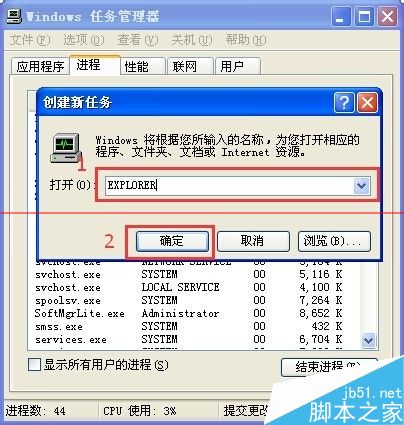
gpedit.msc。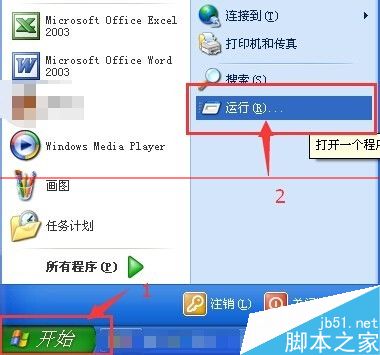
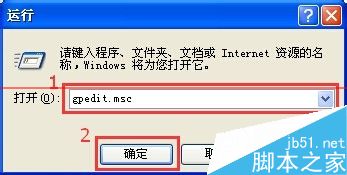
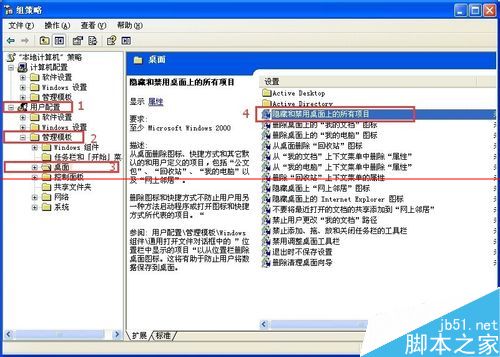
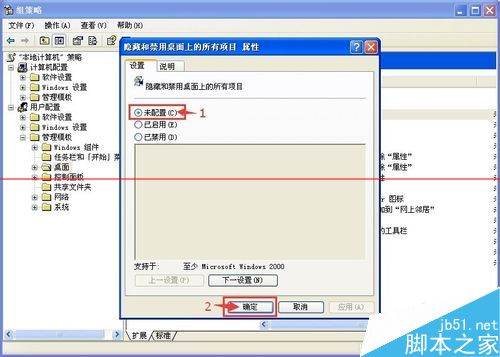
若以上皆無效:可能為軟體衝突或病毒感染,建議嘗試移除近期安裝軟體或全盤掃毒。同邏輯適用於 Win7/Win10。
Windows 安全模式 11 大實用技巧:修復系統、刪除頑固檔案、系統還原、殺毒、卸載錯誤驅動、解除組策略、檢測不相容硬體
Windows 8 開機直接進入桌面:修改登錄表 Shell 鍵值跳過 Metro 開始畫面
Windows 7 無聲音提示「未插入揚聲器或耳機」?Realtek 音訊管理器停用前面板偵測解決
Windows 10標題列顏色設定技巧:在深色主題下啟用彩色標題列
Win10 IE 瀏覽器網頁載入加速:啟用網站快取與資料庫儲存
Win7 升級 Win10 後如何還原回 Win7?設定→更新與安全性→復原→回復至 Windows 7