Windows XP Windows 7 Windows 2003 Windows Vista Windows 綜合教學 Linux 系統教學
Windows 10 Windows 8 Windows 2008 Windows NT Windows Server 電腦軟體教學
您现在的位置: Windows教程網 >> Windows教程 >  >> Windows 綜合教學 >> 關於 Windows

Win8.1 IE 無法使用 Flash Player 解決方法:啟用附加元件、關閉 ActiveX 篩選、更新版本

編輯:關於 Windows

Win8.1 IE 整合 Flash Player,但網頁提示未安裝時,依序嘗試三大解法:

一、啟用 Shockwave Flash Object

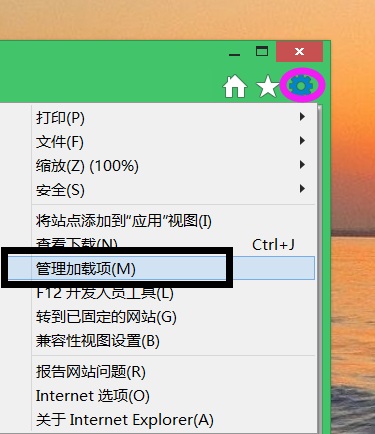
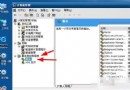
  1. IE 右上角「工具」→「管理附加元件」。
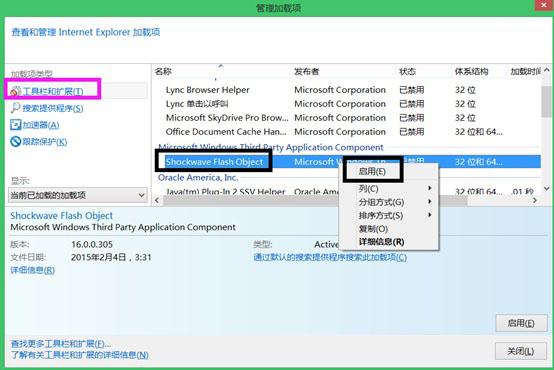
  2. 找到「Shockwave Flash Object」右鍵選「啟用」(需在含富媒體頁面操作)。

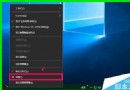
二、關閉 ActiveX 篩選

  1. 「工具」→「安全性」→ 取消勾選「ActiveX 篩選」。

三、取得最新版 Flash Player

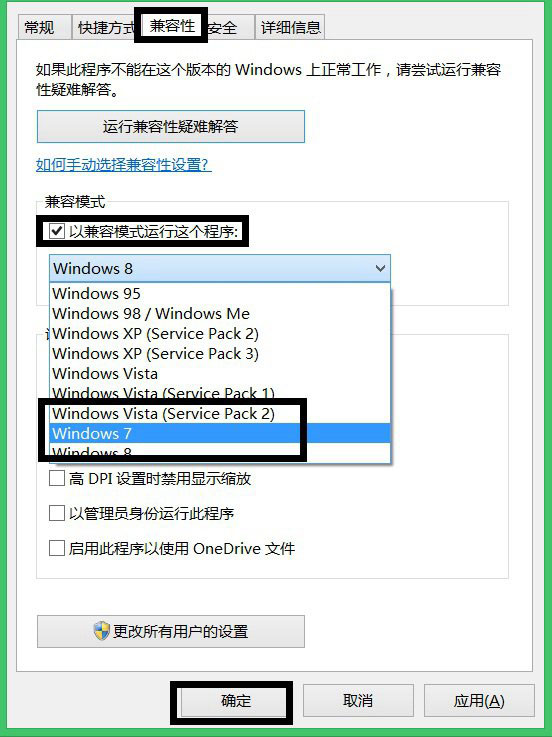
  1. 下載最新安裝程式,若安裝失敗,右鍵安裝檔 →「內容」→「相容性」→ 選「Windows 7 相容模式」執行安裝。

依序嘗試通常可解決 IE 無法載入 Flash 內容問題。

Copyright © Windows教程網 All Rights Reserved