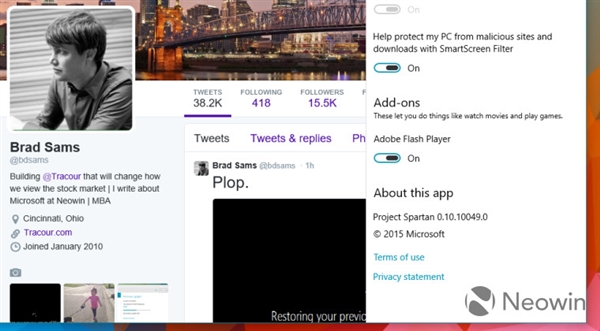
Win10 Spartan 瀏覽器內建 Adobe Flash 支援,但可輕鬆關閉:點擊右上角「設定」選單 → 下拉清單找到「Adobe Flash Player」開關 → 切換至 Off 即禁用。
Off
關閉原因:Flash 安全漏洞頻傳、HTML5 已成主流、Flash 時代尾聲。Spartan 提供直觀開關,無需進入複雜設定頁面。
Win10 通用應用「通知視覺化」發布:開發者設計自適應動態磚貼神器
Win7 64 位元播放 SWF 檔案提示錯誤?群組原則啟用「所有處理序」解決
Windows 10 正式版升級作業已全面啟動:一鍵平滑升級
Windows 10 Build 10134 安裝上手操作體驗影片 (搜狐視頻)
微軟官方確認:Win7 升級 Win10 後第三方輸入法需重裝最新版
Win10 檔案總管「主頁」加入「程式庫」技巧:修改登錄表兩處 DelegateFolders
Win7 透過群組原則禁止他人安裝軟體教學
升級 Win10 10586 後桌面圖標閃爍不停?重置預設應用一招解決