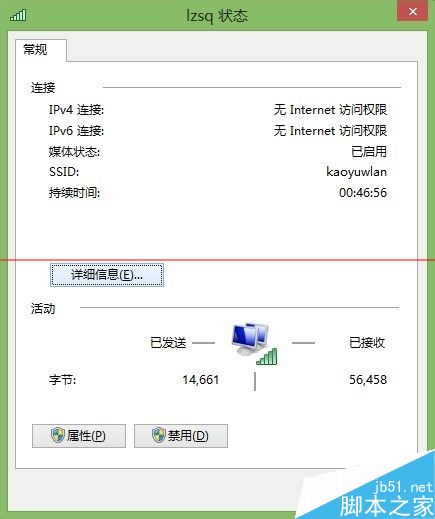
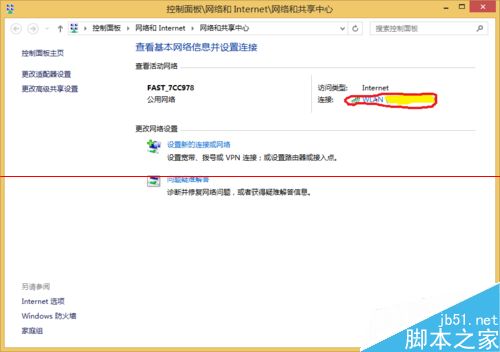
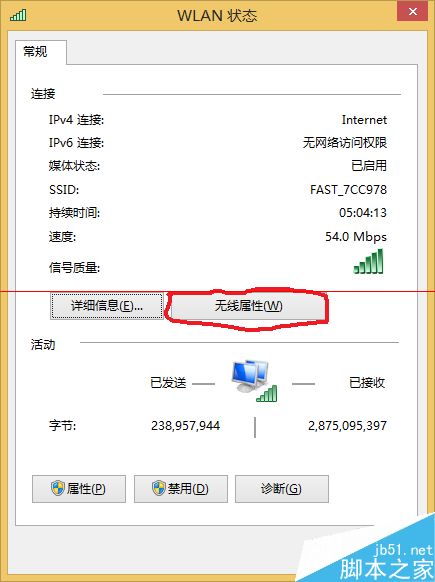
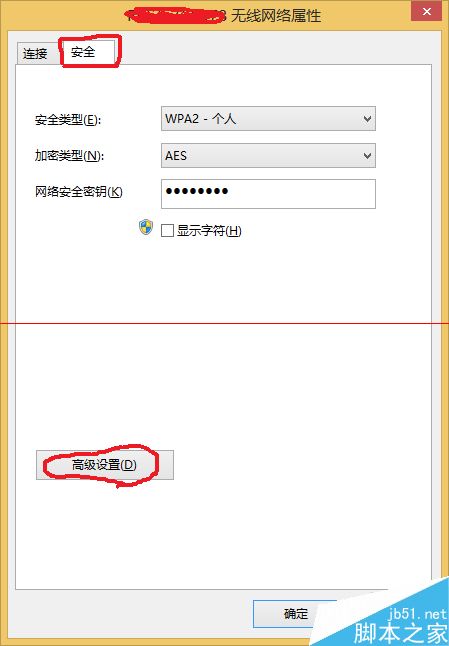
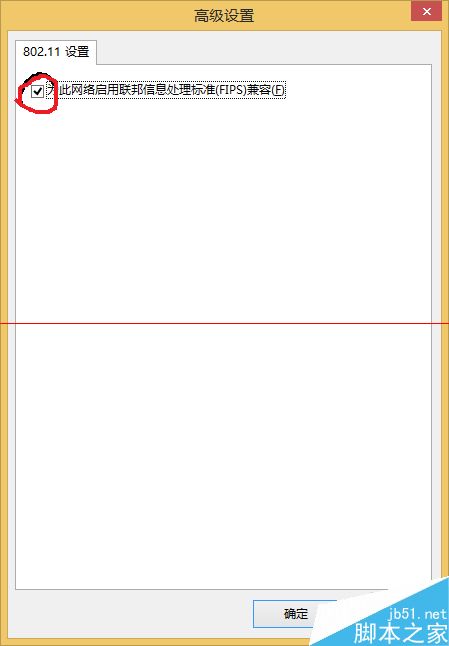
Windows 8 WiFi 連線顯示「無網路存取權限」,設定相容模式即可:
Windows 10 深色主題炫酷登場,Edge 瀏覽器夜間模式超性感
Win10 預覽版選擇「修復我」出現 0x80080300 錯誤?msconfig 禁用非微軟服務即可修復
微軟 Windows 10 官方中文宣傳片翻譯慘不忍睹,網友自製版本更通順
Win10 KB3081424 更新失敗原因分析:過度優化系統導致,還原備份後成功
Win10 如何新增日文輸入法?內建多國語言輸入法完整設定教學
Windows 8 修改 IP 與 DNS 設定完整圖文教學:TCP/IPv4 手動設定、進階多重 IP、DNS 優先順序、WINS
Win7 如何設定路由器 IP 頻寬控制?登入後台開啟 IP 頻寬控制 → 設定各 IP 限速與模式 → 開啟流量統計監控