桌面工具列是 Windows XP 介面重要組成,避免誤調整可透過群組原則禁止使用者變更。
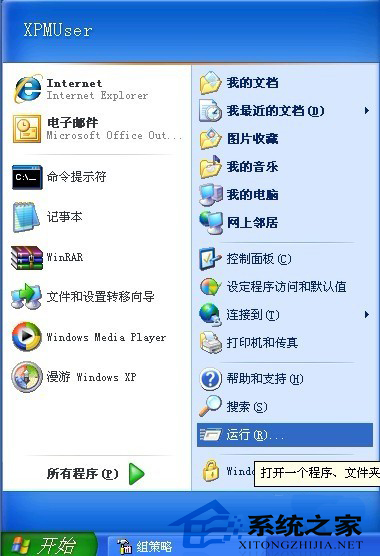
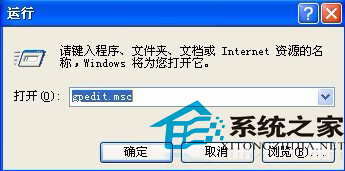
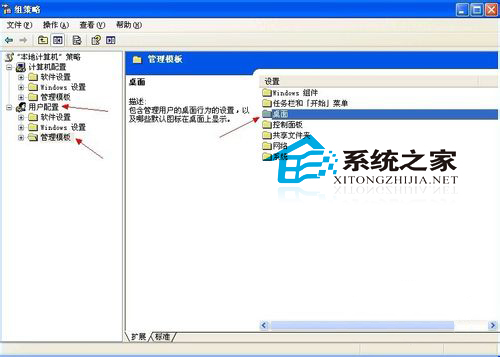
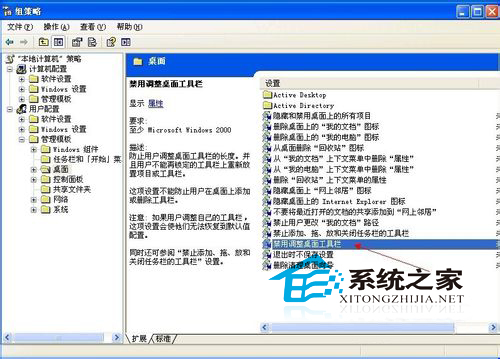
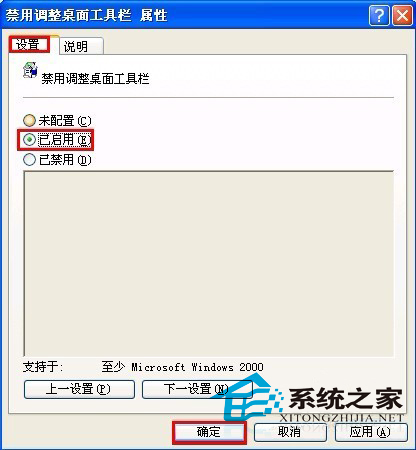
步驟:
gpedit.msc
若後悔,反向操作步驟 3-4 即可還原。
Win10 桌面背景變黑無法設定?開啟「顯示 Windows 背景」即可恢復
Windows 8 清理 Modern 應用程式快取:釋放磁碟空間與改善系統效能
Win10 如何開啟螢幕鍵盤?三種方法:執行指令、小娜搜尋、設定介面
Win10 Redstone 預覽版 14291 簡體中文 ISO 映像下載 32 位元
Windows 10 開機桌面圖示自動重新排列?修改登錄固定圖示位置
Win10 Mobile 週年更新正式版 14393.448 今日開始推送
Windows 7 取得最高權限 TrustedInstaller:刪除系統檔案不再受阻
Windows 7 找回工作列縮圖預覽功能:群組原則設定法