Windows XP 內建 NetMeeting 可進行網路會議、程式共享、檔案傳輸、音訊視訊聊天與白板協作,無需安裝第三方軟體。
conf → 確定,啟動 NetMeeting 設定精靈。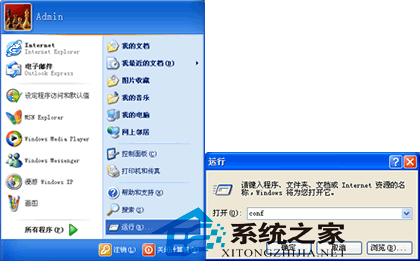
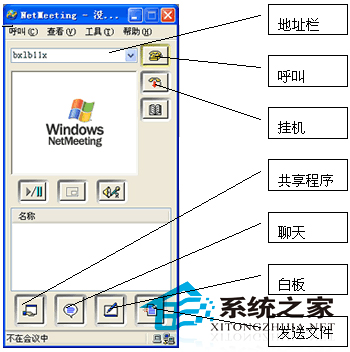
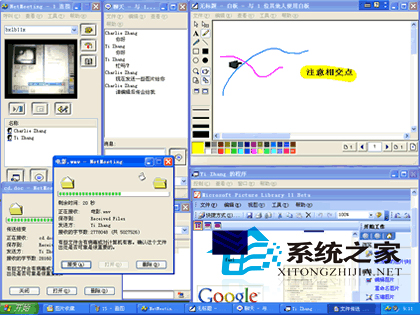
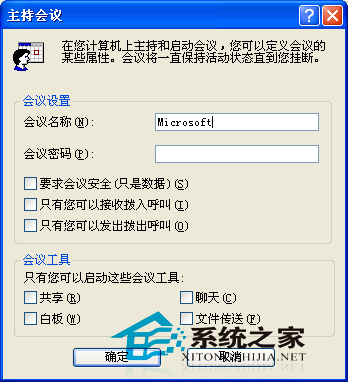
注意: NetMeeting 基於 H.323 協定,穿透 NAT/防火牆需額外設定。現代網路環境建議改用 TeamViewer、Zoom 等更易用工具。XP 末期版本已移除此元件,若不需可透過「新增/移除 Windows 元件」解除安裝。
註冊 Windows Phone App Studio 開發者帳號:取得開發者權限、WP 系統更新優先推送
Win7 無法移除百度瀏覽器?Total Uninstall 專業版深度掃描註冊表/殘留檔案徹底清除
Win10 Build 9901 Storage Sense 存储感知增强:可自定义应用/文档/音乐/图片/游戏默认保存位置,支持 SD 卡扩展
Windows 7 關閉 GUI 開機畫面加快啟動速度:系統設定 msconfig 教學
Win8 升級 Win8.1 失敗錯誤 0x80070006-0x2000c?乾淨啟動法排除干擾
Windows 10 正式版首個補丁 KB3074665 釋出:修補 Flash 漏洞、版本號升至 10240.16390