Windows XP Windows 7 Windows 2003 Windows Vista Windows 綜合教學 Linux 系統教學
Windows 10 Windows 8 Windows 2008 Windows NT Windows Server 電腦軟體教學
您现在的位置: Windows教程網 >> Windows教程 >  >> Windows 綜合教學 >> 關於 Windows

Win7 透過群組原則禁止網頁彈出下載提示,防範惡意軟體

編輯:關於 Windows

瀏覽網頁時若頻繁跳出下載視窗,不小心點擊可能安裝惡意程式。Win7 專業版/旗艦版可透過「本機群組原則編輯器」啟用「限制檔案下載」設定,徹底封鎖 IE 的下載提示。操作步驟如下:

設定步驟

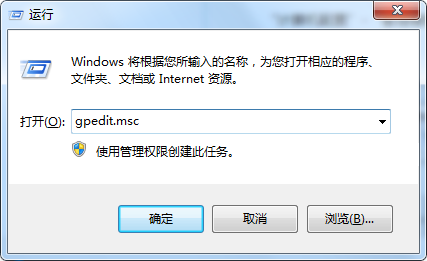
  1. 按 Win + R 輸入 gpedit.msc 開啟本機群組原則編輯器。
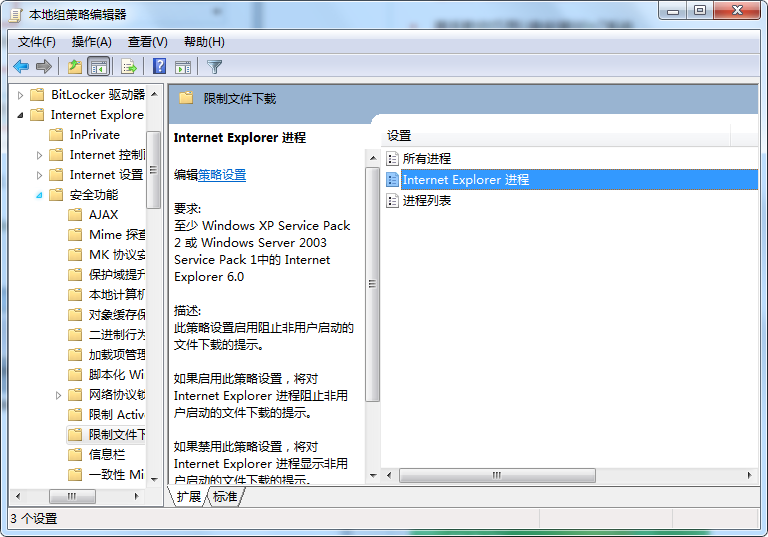
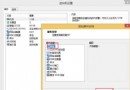
  2. 依序展開:
    電腦設定 → 系統管理範本 → Windows 元件 → Internet Explorer → 安全性功能 → 限制檔案下載。
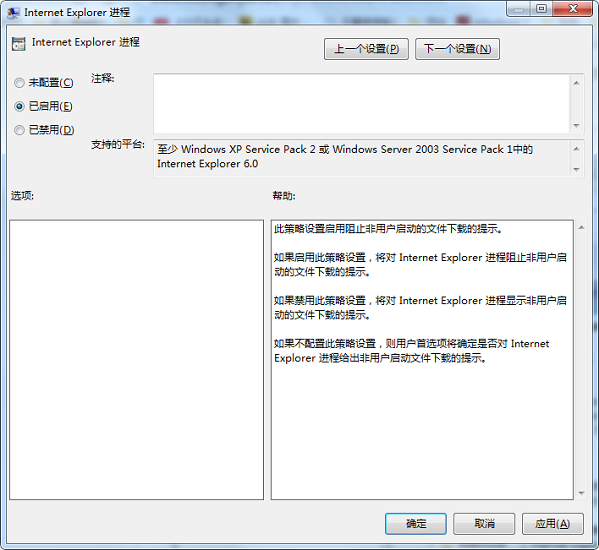
  3. 在右側雙擊「限制檔案下載」,選擇 已啟用,點擊「確定」儲存。


效果與補充

  • 啟用後,IE 將不再顯示任何檔案下載提示,直接阻擋下載動作。
  • 此設定僅影響 Internet Explorer,不影響 Chrome、Firefox 等其他瀏覽器。
  • 家用版無群組原則編輯器,可改用登錄檔對應機碼 HKEY_CURRENT_USER\Software\Microsoft\Windows\CurrentVersion\Internet Settings\Zones\3 下的 1803 值設為 00000003 達成同樣效果。

搭配瀏覽器內建的惡意網站封鎖與防毒軟體,能大幅降低誤裝惡意程式風險。

Copyright © Windows教程網 All Rights Reserved