Word 重新命名後無法開啟、提示範本損壞,解決:
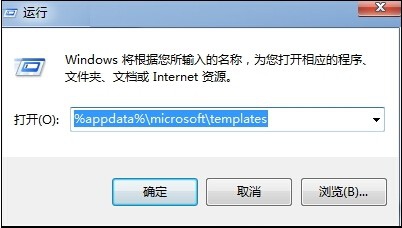
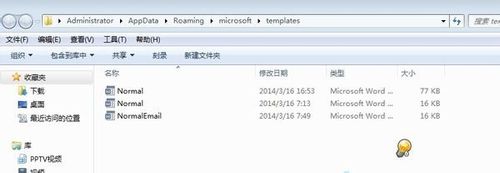
%appdata%\microsoft\templates 開啟範本資料夾。Normal.dot(或 Normal.dotm)。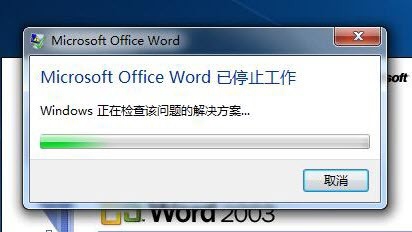
常見 Word 問題,一招搞定。
Windows 7 重灌系統教學:虛擬光碟機掛載 ISO 安裝
Win7 螢幕亮度快速調節教學:控制台電源選項與 Win+X 行動中心雙重法
Win10 Mobile 預覽版 10240 模擬器圖賞:通知中心與介面細節
Win10 Mobile Build 14393.189 安裝與上手體驗:25-35 分鐘更新、低端機也流暢、續航不錯、藍牙 UI 需改進
曝 Win10 RS1 預覽版 14251 重大更新即將來臨,版本號大跳躍暗示新功能開發啟動
Windows 10 內建地圖導航新增測速照相機語音預警:基於 HERE 地圖資料開發,含街景功能