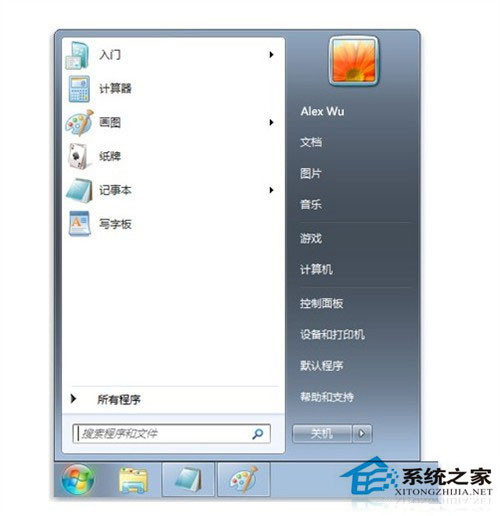
Win7 開始功能表突然空白,主因「最近開啟程式數目」被設為 0。修復:
簡單設定即可解決,無需重裝系統或修改登錄檔。
Win10 Mobile 週年更新 14393.5 手機實機截圖洩露:機型為 Lumia 532 (1GB RAM)
Windows 8.1 語言環境 Bug 集合:修改帳戶名稱導致中英文選單混雜
Windows 8 學生開發者帳號註冊完整流程圖文教學
Windows 10 預覽版升級正式版完整教學:ISO 掛載保留設定安裝
Win10 Mobile/PC 應用商店升級:詳細列出應用內購項目與價格清單
Win10 版本功能對照表:家庭版、專業版、企業版、教育版差異詳解
Win10 滑鼠右鍵選單移除 Intel 顯卡圖形選項?登錄檔刪除 igfxDTCM 機碼教學
Win10 升級報錯代碼 1049 解決實錄:根分區擴充至 40GB 完美修復