瀏覽特定網站時出現「此網頁包含重新導向循環」導致崩潰,通常是因為 Cookie、快取異常或惡意軟體修改瀏覽器設定。使用 360 安全衛士配合瀏覽器設定調整可快速修復。
環境資訊
- 軟體名稱:
- 奇虎 360 安全衛士 V10.0.0.2001 官方正式版
- 軟體大小:
- 70.59 MB
- 更新時間:
- 2015-04-23
修復步驟
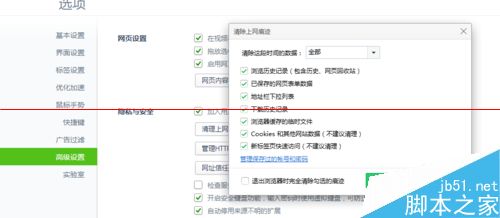
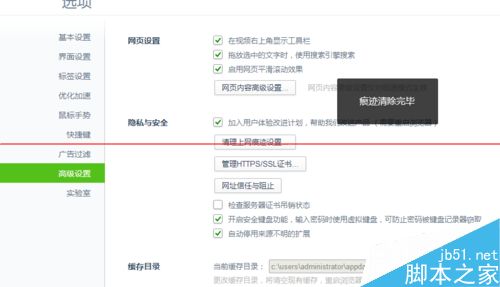
- 清除瀏覽資料:瀏覽器「高級選項」→「清除資料」全選 → 「立即清理」。
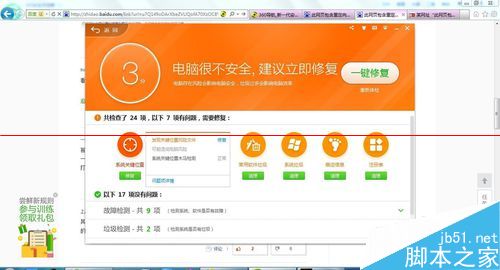
- 360 一鍵修復:開啟 360 安全衛士 → 「一鍵修復」 → 點擊「修復」。
- 調整隱私設定:瀏覽器「高級選項」→ 取消勾選「阻止第三方 Cookie」 → 確保「顯示圖片」開啟。
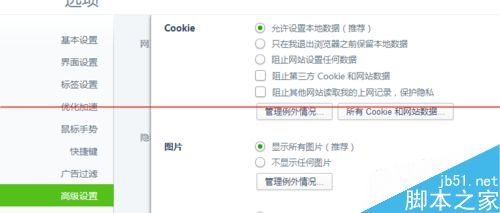
- 360 人工服務修復重導向:360 主介面 → 「人工服務」 → 搜尋「多重導向」 → 點擊「修復」。
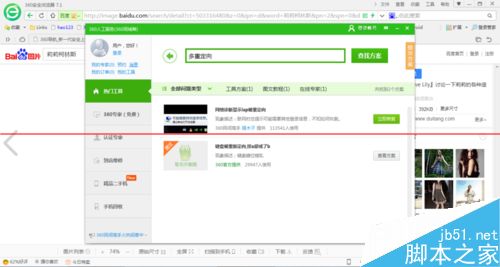
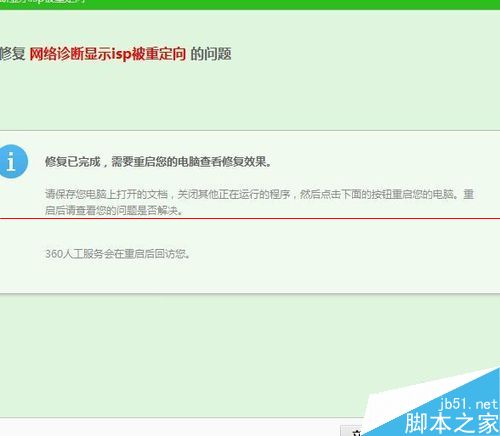
完成上述步驟後重新啟動瀏覽器,重新導向循環問題通常即可解決。若持續發生,建議檢查是否有惡意擴充套件或嘗試重置瀏覽器設定。