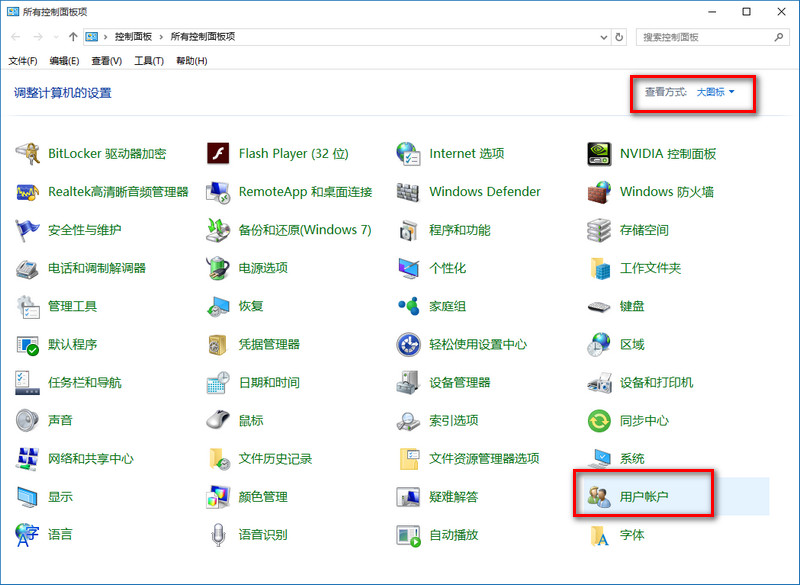
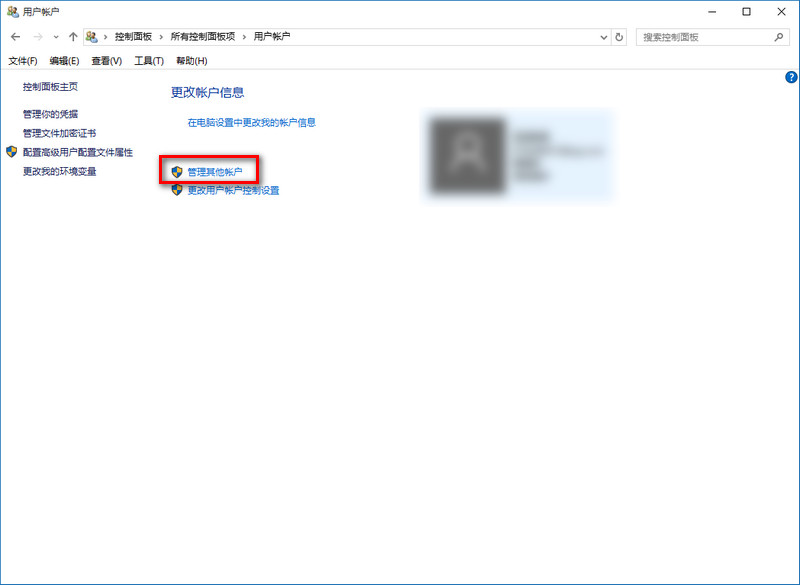
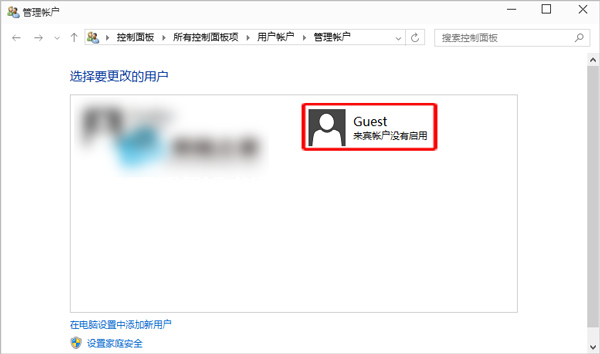
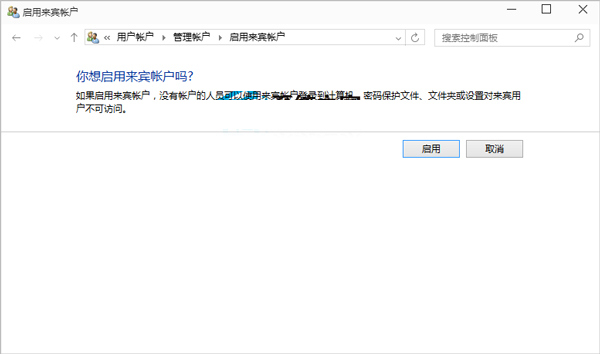
Win10 來賓帳戶提供受限權限的臨時登入環境,適合多人共用電腦、借用他人裝置等場景。透過控制台即可快速啟用/停用。
同樣路徑進入 Guest 帳戶設定,點選左側「關閉來賓帳戶」即可停用。
特性:來賓帳戶無法安裝軟體、修改系統設定、存取其他使用者檔案,重開機後個人資料自動清除,安全性高。
Win7 出現 APPCRASH 錯誤怎麼辦?三大修復策略與 Dump 分析法
Win10 Build 9879 更新內容終極彙總:7 大變化一次看
微軟公布各版本 Windows 升級 Win10 完整路徑圖:ISO 與 Update 雙軌、WP8.1 直升、RT 棄守
Win10 將「資源回收筒」釘選到快速存取:兩步驟間接實現側邊欄固定
Win7 通知區域圖示顯示/隱藏設定教學:自訂右下角系統托盤
Win7 程式庫無法加入網路資料夾?必須滿足三大前提條件:聯網、存密碼、啟用離線檔案
Win10 筆電誤觸電源鍵直接關機?設定「不採取任何動作」防誤觸
Win10 如何移除預裝捆綁應用程式?PowerShell 指令卸載 AppxPackage