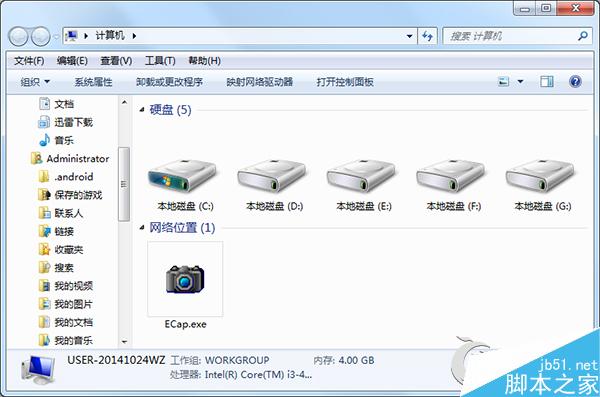
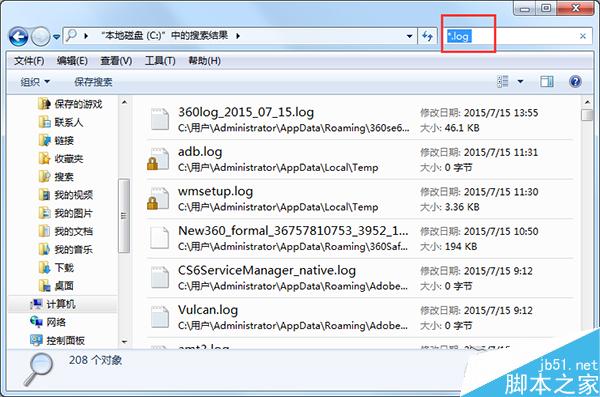
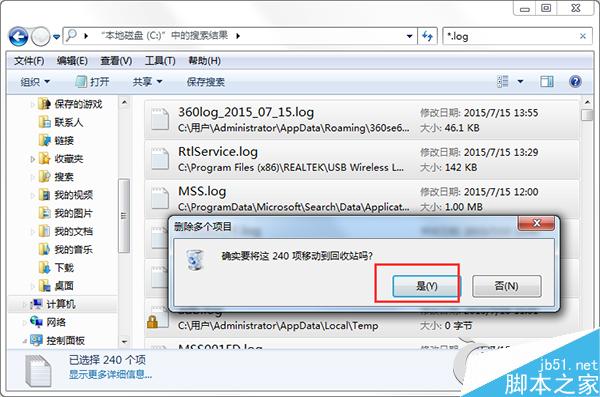
C 槟堆積大量 .log 日誌檔案,逐一刪除不切實際。利用檔案總管搜尋功能批次刪除:
*.log
說明: * 為萬用字元代表任意檔名,.log 指定副檔名。同理可搜尋 *.tmp、*.dmp 等暫存檔批次清理。操作前建議確認無重要日誌需保留。
*
.log
*.tmp
*.dmp
Win10 10056 升級 10061 完整解決方案:註冊表修改 + 服務重置 (含程式碼區塊)
Win10 Mobile 10563 模拟器官方下载:需 4.3 GB 空间,配套 SDK 10563 使用
Win7 右鍵選單新增「複製到資料夾」「移動到資料夾」兩大神鍵:註冊表與 .reg 檔雙重做法
Win10 升級後開機變慢?關閉「快速啟動」功能即可改善
Win10 快速啟動列不見了?教你重建並自訂常用程式捷徑
Windows 10 UserManager 服務重開機後自動停用導致開始功能表/Cortana 失效,用排程器跑批次檔永久修復
Win10 設定固定時間無操作自動睡眠:系統 → 電源與睡眠 圖文教學
區域網路存取 Win7 主機跳出密碼輸入框?關閉「密碼保護共享」圖文教學