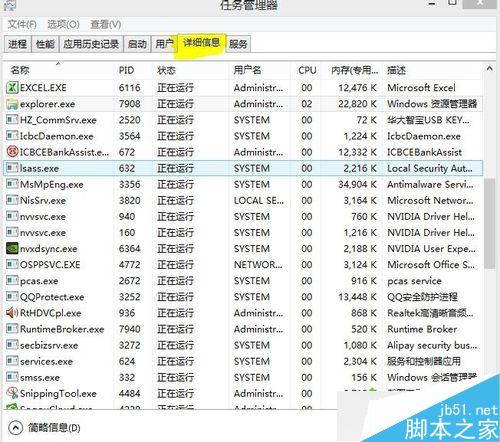
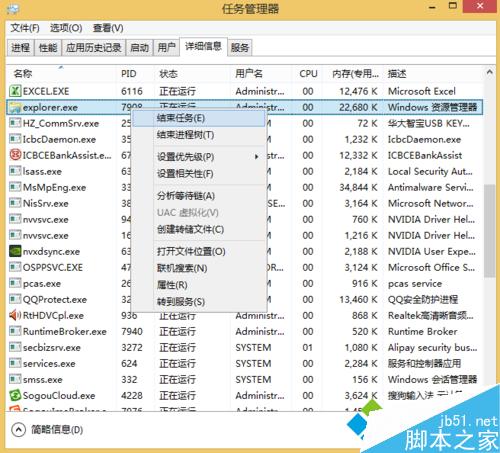
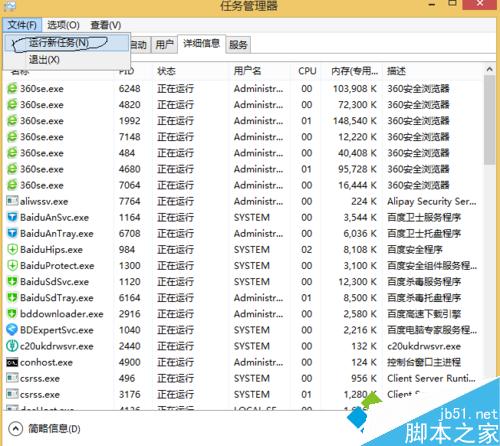
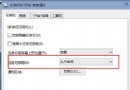
安裝工商銀行網銀助手報錯 called runscript when not marked in progress,核心原因是 Explorer 進程狀態異常,重啟並以系統管理員權限執行即可解決。
called runscript when not marked in progress
Explorer.exe
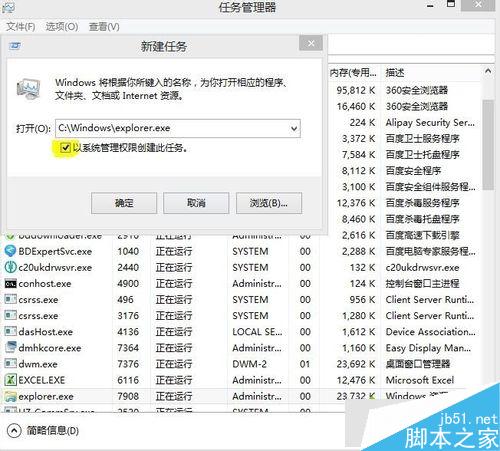
C:\Windows\explorer.exe
步驟 4 必須勾選系統管理員權限,否則仍會安裝失敗。此法適用於需高權限的安裝程式被 Explorer 狀態阻擋的情況。
Win7 任務列 IE 圖示不見了?兩招秒找回
Win10 升級後光碟機消失?兩大原因與解決方案完整圖解
Win7 通訊埠 80 被佔用解決方案:netstat 定位 PID + 工作管理員結束進程
Win10 小娜語音無法開啟「掃雷」?用「捷徑的捷徑」技巧加入語音指令
盜版升級 Windows 10 後仍屬非正版,每小時黑屏一次?微軟詳細說明授權狀態與風險
Win7 菜單顯示速度慢怎麼辦?注冊表修改 MenuShowDelay 加速響應
Win10 免費激活工具與方法介紹:KMSpico 一鍵永久激活
Win10 Edge 瀏覽器新增 WebM、VP9、Opus 支援,線上影音體驗再升級