Win10 Insider Preview 10565 推送後,部分用戶透過 Windows Update 升級遭遇藍畫面:
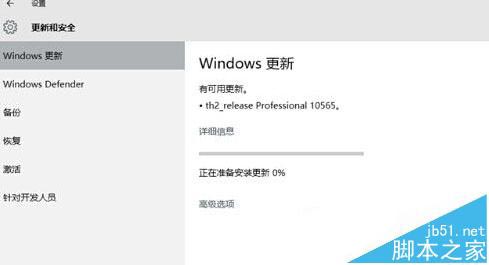
Setup.exe。藍畫面多因相容性補丁或驅動衝突引發,離線升級避開 Windows Update 管道,成功率顯著提高。
Windows 10 Build 10049 預覽版出現藍屏死機 啟動桌面卡住無法顯示
Windows 10 開啟 Windows Defender 內建防毒教學:必須先關閉第三方防毒軟體才能啟用即時保護
Win10 一週年更新 6 月 Bug 大掃除活動下周啟動 微軟集中修復高呼聲問題
Windows 8 滑鼠指標美化教學:安裝 Mac 風格指標套件
Win XP 自動批次檔清除機器狗病毒:虛擬軟碟機載入 DOS、Autoexec.bat 調用 Kill.bat、WinImage 修改開機映像
微軟推送 KB3122947 修復 Win10 升級後隱私設置被重置為默認值問題