部分用戶升級 10586 後發現 Skype 訊息、聯絡人及 Insider Hub 會員中心應用消失。提供找回方法:
C:\Users\你的用戶名\AppData\Local\Packages\Microsoft.Messaging_8wekyb3d8bbwe\LocalCachePrivateTransportId 檔案。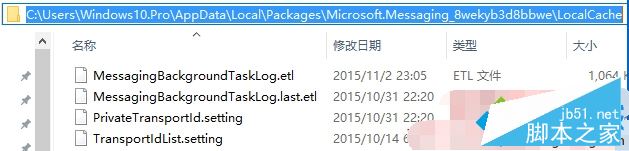
升級過程中被移除。依序進入:「設定」→「系統」→「應用程式與功能」→ 右側「管理可選功能」→ 「新增功能」→ 列表中選擇 Insider Hub 重新安裝即可。
以上方法可恢復升級 10586 後遺失的資料與應用,遇到相同問題的用戶可參考操作。
Win10 預覽版 10061 登入畫面黑屏徹底解決:安裝 KB3055415 修補程式
Win8 C 槽無法重新命名?登錄檔建立 DriveIcons\C\DefaultLabel 指定標籤
Win10 Build 9901 Storage Sense 存储感知增强:可自定义应用/文档/音乐/图片/游戏默认保存位置,支持 SD 卡扩展
Win10 Edge 瀏覽器設定首頁教學:三步驟自訂開啟頁面
Win10 Mobile 如何退出預覽體驗計畫?回歸正式版更新通道圖文教學
Win10 訪問局域網共享提示「輸入網路憑證」?兩種解決方案