Win10 為安全預設停用內建 Administrator 帳戶,註銷後登入畫面不顯示。需手動啟用:
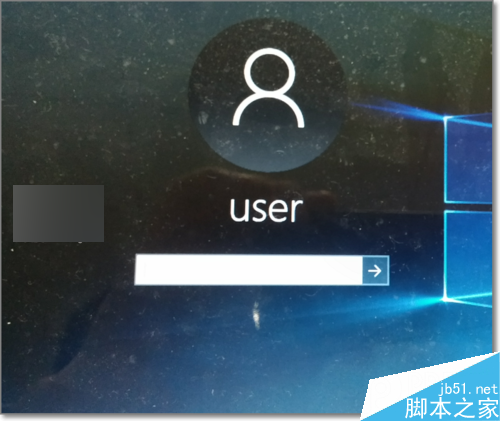
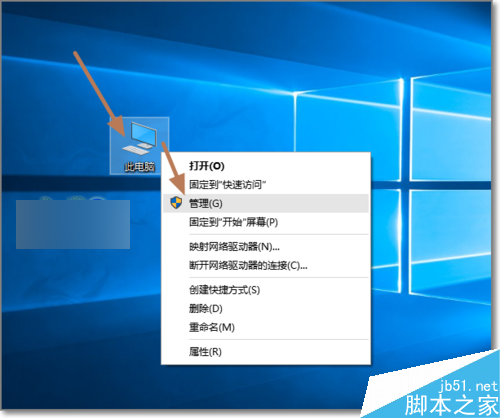
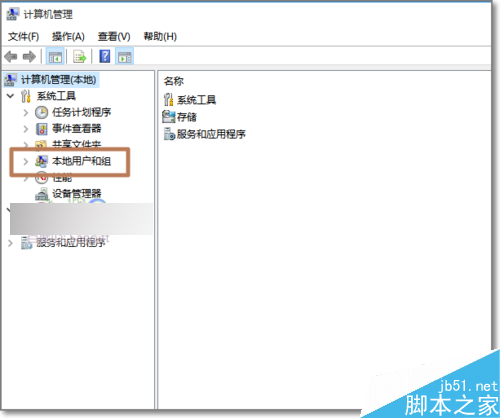
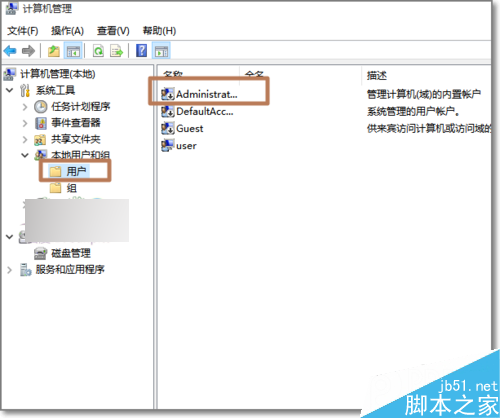
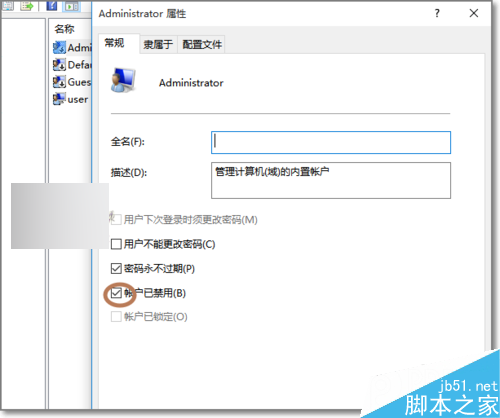
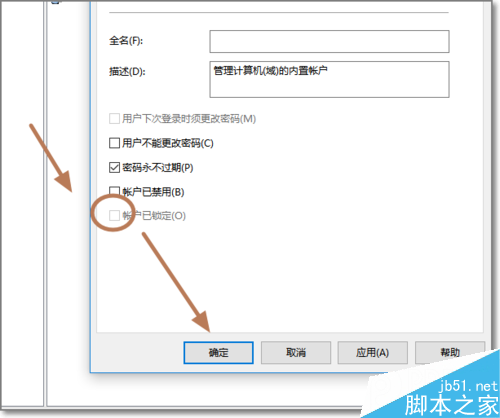
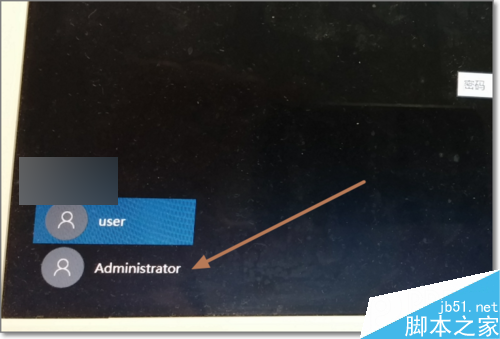
注意:長期使用 Administrator 降低安全性,建議僅於必要管理任務時啟用,完成後重新停用。
Win10 10240 版 GBA 模擬器 VBA10 上架商店:通用應用支援 PC 與手機雙平台
Win10 開啟 Microsoft 管理主控台 (MMC) 三種管道
IE 瀏覽器清除隱私資料完整教學:手動/自動刪除歷程、Cookie、密碼、表單資料
Windows 工作管理員選單列與分頁消失?雙擊邊框空白處一鍵切換精簡/完整模式
Windows Server 2003 IIS ASP 上傳 200KB 限制突破:修改 Metabase.xml ASPMaxRequestEntityAllowed
Windows 10 自動更新導致顯卡與第三方驅動出錯 深度分析與解決方案