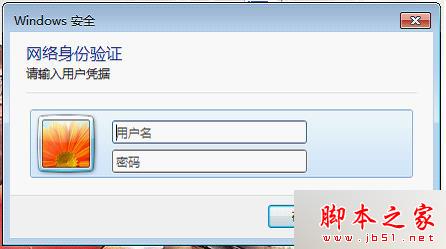
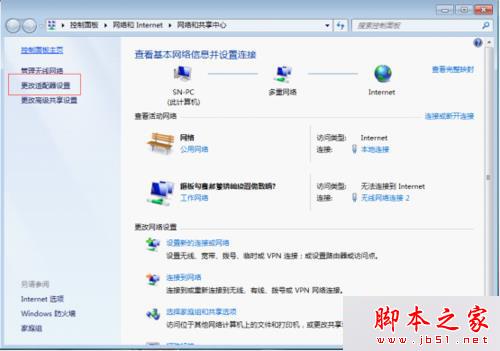
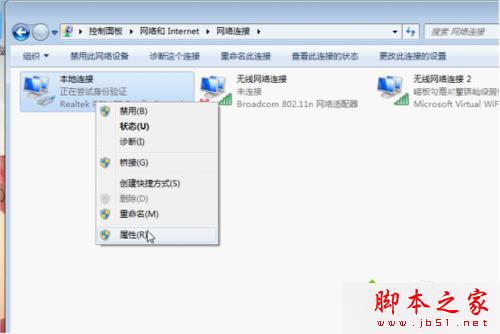
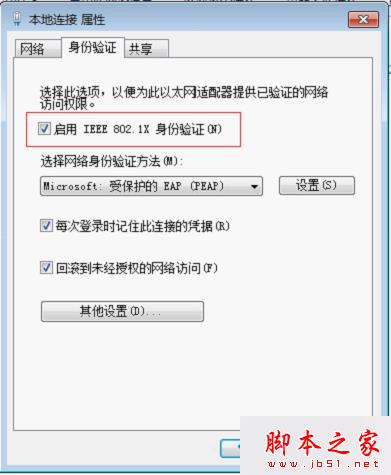
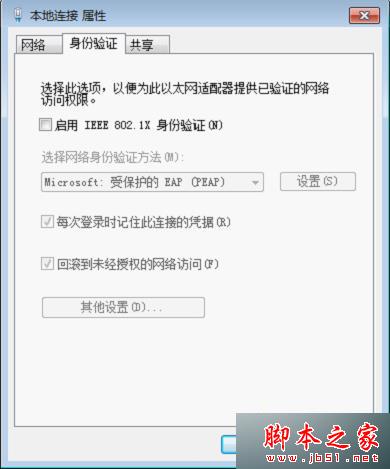
Win7 連網時重複彈出「Windows 安全性網路驗證」視窗,解決方法:
設定後不再彈出驗證視窗,網路連線更順暢。
WinXP 刪除非空目錄 強力指令 rd /s/q 一行解決
Win10 內建 Emoji 表情符號怎麼用?啟用觸控鍵盤一鍵輸入
Windows 8.1 IE 瀏覽器無法開啟 (僅管理員身分可開)?登錄檔 Main 權限繼承修復
非 Lumia WP 手機何時能用 Win10?微軟確認正推動支援非 Lumia 裝置 (HTC One 等)
WinXP 如何修改磁碟機代號?磁碟管理工具圖文教學
Win10 新增印表機連接埠 (Standard TCP/IP Port) 步驟圖解
Win7 移動硬碟不顯示盤符怎麼辦?三招:啟用 USB 大容量儲存、磁碟管理指派新磁碟代號、檢查硬體
Win10 工作列圖示合併設定:讓 QQ 等應用程式視窗不再疊加、單擊即達