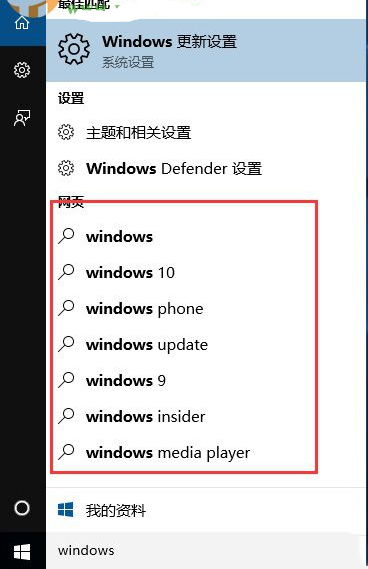
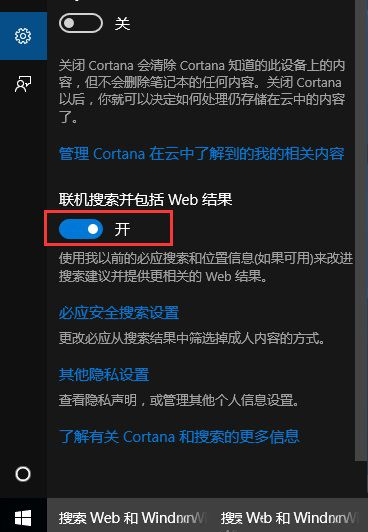
不想使用 Win10 的線上搜尋(包含網路結果)?依下列步驟關閉:
操作簡單,依教學設定即可關閉線上搜尋功能。
Windows 7 使用命令提示字元快速建立/刪除環境變數
Win10 Build 9926 技術預覽版:普通用戶不建議安裝,三大痛點解析
Win8.1 虛擬記憶體設定完整圖文教學:自訂大小優化系統效能
Win7 64 位旗艦版 SSD 固態硬碟優化六大關鍵:AHCI、4K 對齊、TRIM、關閉系統還原/索引
Win8.1 設定 VPN 連線完整圖文教學 (PPTP 協定)
Windows 8.1 更新後 IE11 無法開啟?修復登錄權限解決教學
Win7/8.1 升級 Win10 後:可無限重灌、無需金鑰、無需重新激活
Win8 關機後電源燈持續亮著?兩種解決方案關閉混合式關機/快速啟動