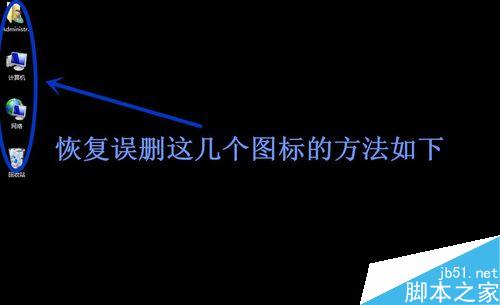
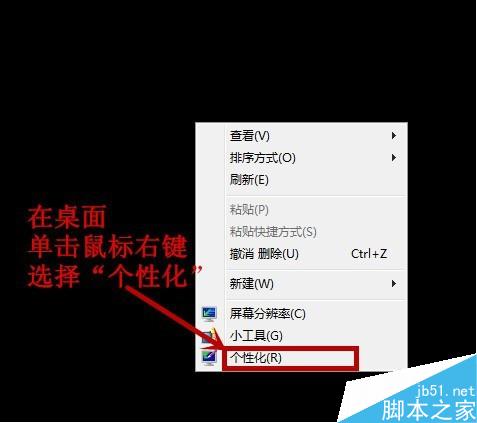
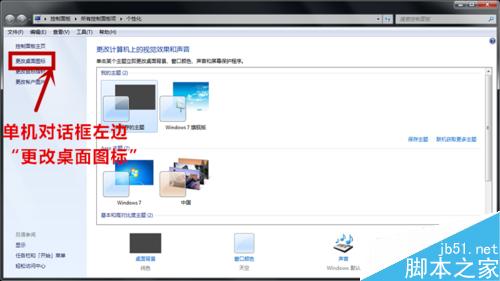
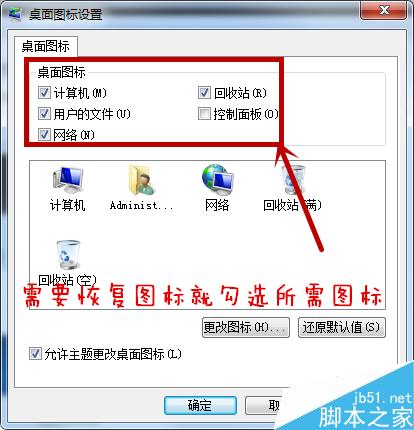
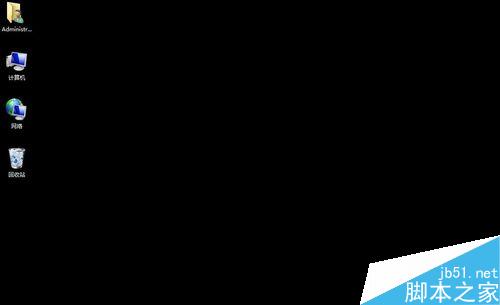
使用電腦難免手誤刪除桌面「電腦」「使用者的檔案」「回收站」「網路」等系統圖示,這類圖示不在資源回收筒,以下教學快速找回。
以上為恢復桌面系統圖示完整方法,希望能幫助大家!
Win7 格式化 USB 提示「Windows 無法完成格式化」兩大解法:360 U盤鑑定+低階格式化、CMD format 指令強制格式化
Windows 10 預覽版升級正式版完整教學:ISO 掛載保留設定安裝
Windows Phone 8 音樂播放器常見七大痛點與終極解決方案
高德地圖開機自啟佔用流量與記憶體:獵豹清理大師一鍵停用自啟
Win10 10565 简体中文专业版 64 位 ISO 下载:ESD 转制、SHA1 校验、三种激活途径
什麼是 Windows PE?預安裝環境核心功能與實戰應用詳解
Win7/Win8.1如何更换桌面壁纸?个性化设置全流程图解
Win10 共享 WiFi 熱點給好友:免密連接、Outlook/Skype/Facebook 聯系人定向分享