Windows XP Windows 7 Windows 2003 Windows Vista Windows 綜合教學 Linux 系統教學
Windows 10 Windows 8 Windows 2008 Windows NT Windows Server 電腦軟體教學
您现在的位置: Windows教程網 >> Windows教程 >  >> Windows 綜合教學 >> 關於 Windows

Win10 網路連線缺少 Socket 登錄項?Winsock 重置與系統檔修復

編輯:關於 Windows

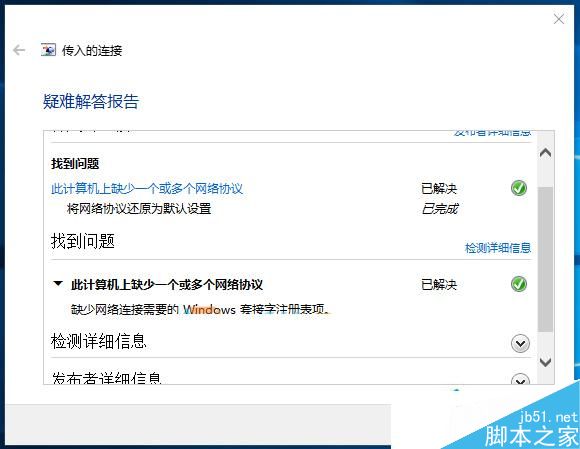
Win10 Build 10586 後網路頻繁斷線,疑難排解報「缺少網路協定」與「缺少 Windows Socket 登錄項」。依序嘗試 Winsock 重置、舊版網卡驅動、SFC/DISM 修復、手動替換損毀檔案。

修復步驟

  1. 重置 Winsock:Win+X → 命令提示字元 (系統管理員) 執行 netsh winsock reset,重開機測試。
  2. 安裝舊版網卡驅動:至廠商官網下載 Win8.1/Win7 版驅動安裝,覆蓋可能不相容的新版驅動。
  3. 系統檔掃描修復:同視窗執行 sfc /scannow,若有無法修復檔案,執行以下指令匯出清單:
    findstr /C:"[SR] Cannot repair member file" %windir%\logs\cbs\cbs.log > "%userprofile%\Desktop\sfcdetails.txt"
  4. 手動替換損毀檔案:從正常運行同版本 Win10 的電腦複製同名檔案覆蓋 (需取得信任權限)。
  5. DISM 映像修復:執行 dism /online /cleanup-image /restorehealth 修復元件存儲。
建議順序

1 → 2 → 3 → 5 → 4,通常前兩步即能解決 80% 情況。

Copyright © Windows教程網 All Rights Reserved