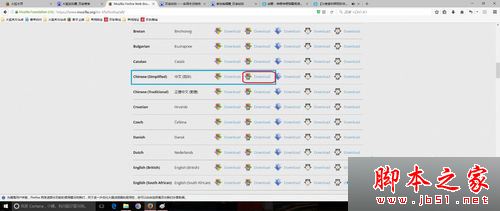
Win10 64 位用戶若安裝 32 位 Firefox(官方中文站預設提供 32 位),並更新 Flash Player 後,開啟含 Flash 網頁易導致瀏覽器無回應。根因為架構不匹配。
ftp.mozilla.org
www.mozilla.org/en-US/firefox/all/
補充:現代瀏覽器已全面停用 Flash 支援,建議優先使用 HTML5 替代方案;若確有舊版網頁需求,請確保瀏覽器與外掛架構一致(64 位搭配 64 位)。
Win10 顯卡驅動如何更新?裝置管理員一鍵更新或重裝驅動
Win10 C 槽磁碟碎片整理與清理:檔案總管 → 內容 → 工具 → 最佳化/磁碟清理
WinXP 如何關閉「工作排程器」服務?services.msc 停用並設為禁用開機自啟
Win8 使用 net user 指令建立無密碼帳號:需在系統管理員模式下執行
Windows Server 2008 無法開機?使用 CMD 指令修復啟動引導
Windows 常用網路指令大全:ipconfig、ping、arp、netstat、nslookup、tracert 完整用法
Win10 小娜新技能:連結 Xbox Live 帳號查看遊戲動態與通知
Win10 測試版為何難產?內測負責人曝:尚存一關鍵 Bug 未修