Windows 10 內建不支援 RAR 格式,可從 Microsoft Store 免費安裝 RAR Opener 進行解壓縮與壓縮操作。
rar。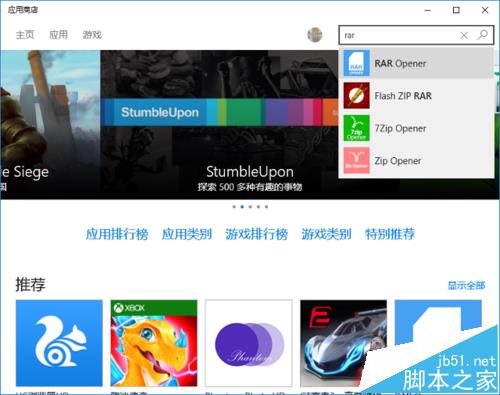
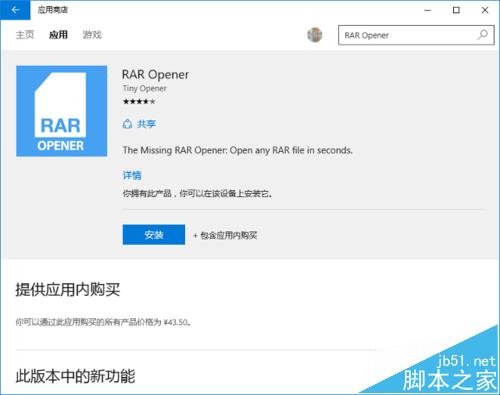
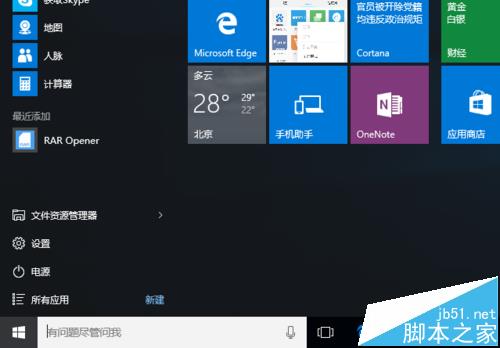
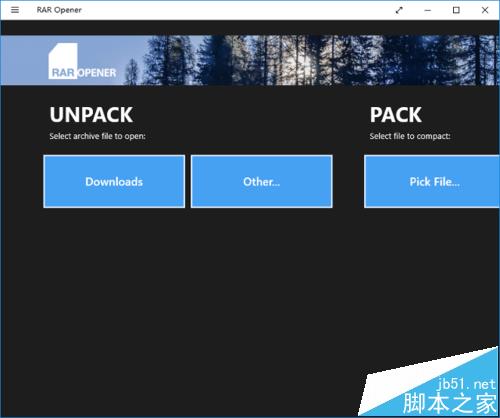
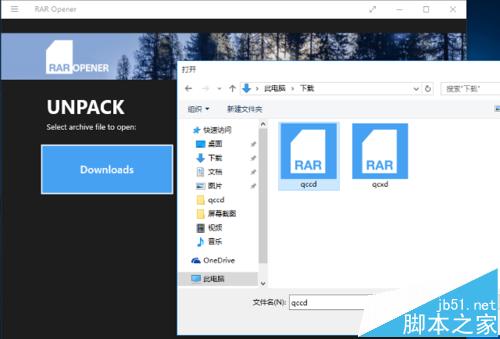
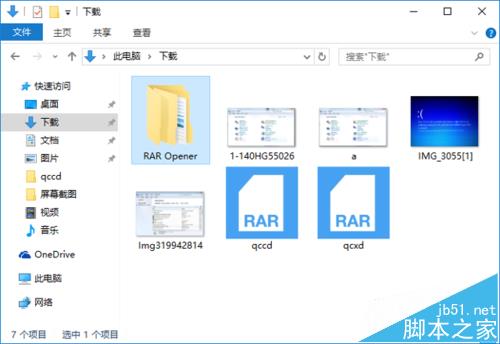
提示: 安裝後也可直接雙擊 RAR 檔案以 RAR Opener 開啟解壓縮。若遇到雙擊閃退或「位置無法使用」錯誤,請參考延伸閱讀連結排除。
Windows 10 Build 10154 系統截圖大量曝光:介面細節、Insider 退出機制、已知問題
桌面版 Cortana 功能展示:Windows 10 早期預覽版語音助手影片演示
Win10 零售演示模式圖片與影片曝光:神秘「宋冬」帳戶現身
Win10 RS2 Build 14926 即將過期:10/1 起每 3 小時強制重開機、10/15 完全無法開機
Windows 9 Build 9834 最新 25 張截圖曝光:通知中心、搜尋鈕、視窗化 Modern、開始菜單整合