雖然 Windows 7 仍是主流,但提前準備 Windows 8 開機隨身碟可應對系統重灌或救援需求。使用 UltraISO 燒錄 ISO 映像檔至 USB 是最快捷的方法,以下提供詳細圖文步驟。
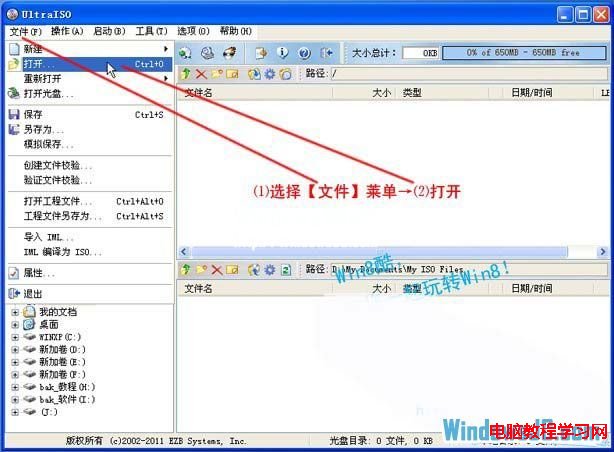
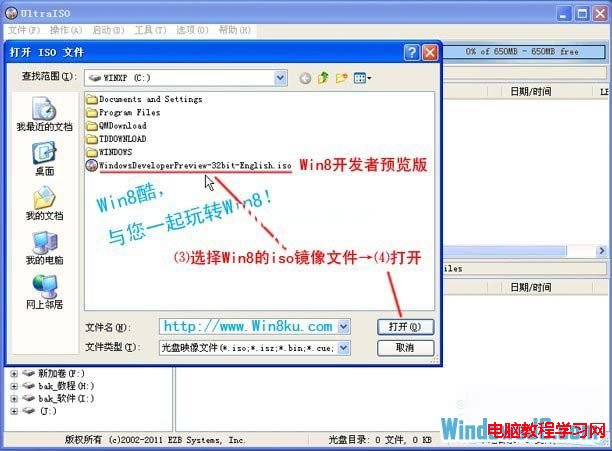
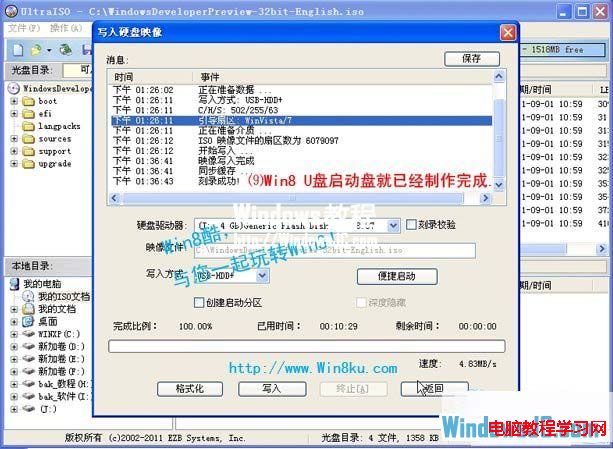
執行 UltraISO → 「檔案」→「開啟」→ 選擇 Windows 8 ISO 檔 → 開啟。
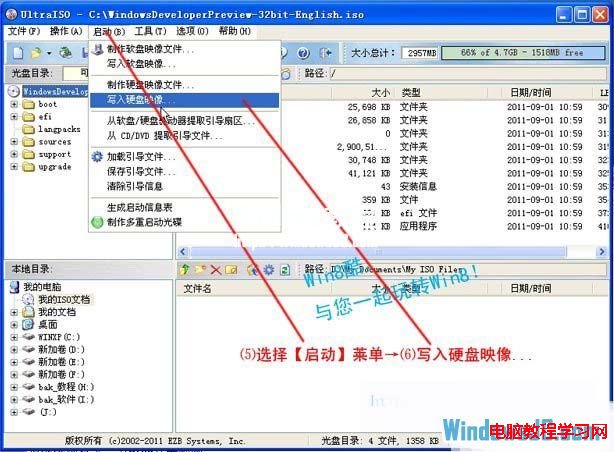
「開機」→「寫入硬碟映像...」。
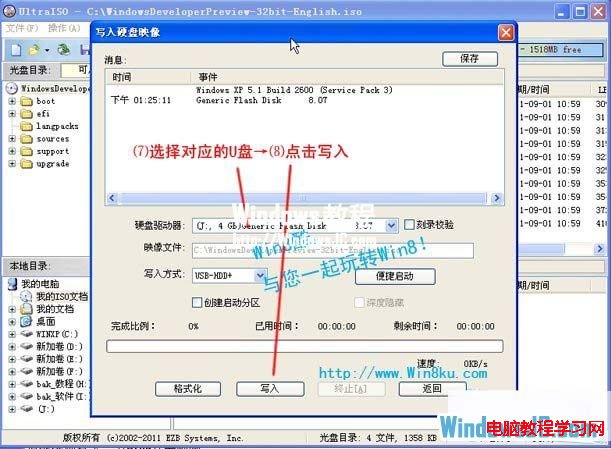
點擊「寫入」→ 確認格式化警告 → 等待進度條跑完 → 出現「燒錄成功」訊息即完成。
注意:燒錄過程會清空 USB 所有資料,請先備份重要檔案。
Windows 8 如何新增虛擬網路卡 (Microsoft KM-TEST 環回介面卡)?裝置管理員手動安裝教學
Win7 開始選單搜尋:全電腦秒找檔案/程式/文件
Windows XP 開機顯示器無訊號但可見進度條?三大排查方向快速定位
Windows XP 完整版本介紹:從家庭版到 64 位元專業版,含 SP1/SP2/SP3 更新詳解
Win7 玩暗黑破壞神 2 無法全螢幕?修改登錄 Scaling 值強制全螢幕
Win8 純淨版透過登錄停用各類功能提示教學
Windows Server 2008 系統加固三大核心漏洞封堵實戰
WinXP 優化極致技巧:停用冗餘介面裝置與服務,榨乾老系統效能