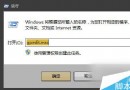
Windows 7 內建數百種字型,多數使用者僅用少數。刪除不需字型可釋放磁碟空間、減少字型清單長度、提升應用程式載入速度。建議先備份再刪除,日後需要可隨時還原。
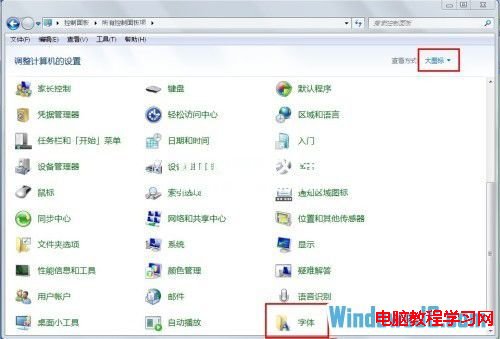
1. 開啟「控制台」 → 檢視模式選「大圖示」 → 點選「字型」資料夾。
2. 在字型資料夾中選取不需字型(可按 Ctrl 多選) → 右鍵「複製」備份至其他位置 → 確認備份完成後右鍵「刪除」。
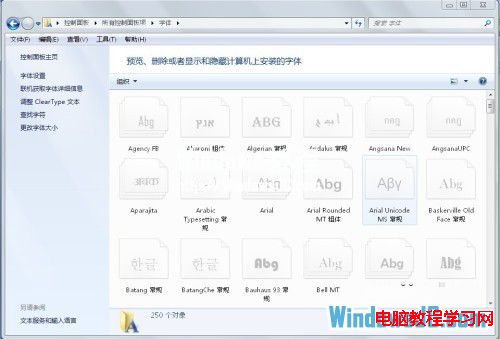
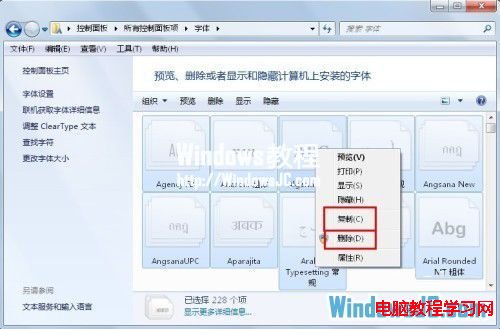
3. 定期清理不需字型,能讓系統字型清單更精簡、應用程式啟動更快、磁碟空間更寬裕。
Win8.1 啟用免打擾模式(安靜時段):專注工作不被 App 通知干擾
Win7 系統還原功能找回誤刪系統檔案:建立還原點與還原舊版本完整教學
Win10 遊戲相容性超越 WinXP,7 月 29 日正式上市
解決 Windows 8 開機提示「igfxTray Module 已停止運作」:顯示卡驅動程式回滾與更新教學
Win10 15002洩露版ISO鏡像流出:內部構建洩露、功能增量有限、官方推送延期
Win10 Build 10158 詳細變化完整版:Edge 新功能、UX 優化、Cortana 整合 Office 365、照片應用 GIF、截圖工具延遲