SkyDrive(現 OneDrive)網頁操作繁瑣,Win7 可透過「連結線上識別碼」+「對應網路磁碟機」將雲端硬碟掛載為本地磁碟機(如 Z:),直接在總管拖拉上傳/下載,支援 HTTPS 加密傳輸。
完整步驟
- 安裝 Windows Live 登入小幫手(或 Windows Live Essentials 套件)。
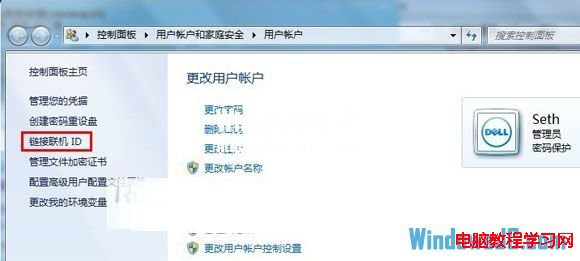
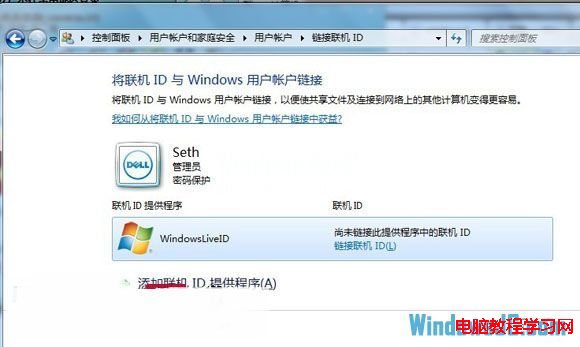
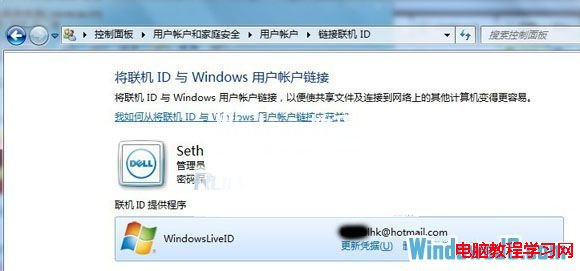
- 「開始」→ 點擊使用者圖示 →「使用者帳戶」→「連結線上識別碼」→ 輸入 Microsoft 帳號密碼驗證。
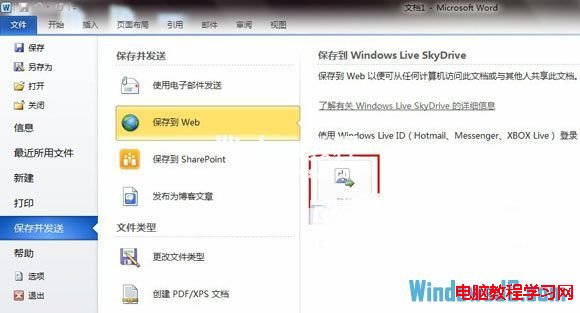
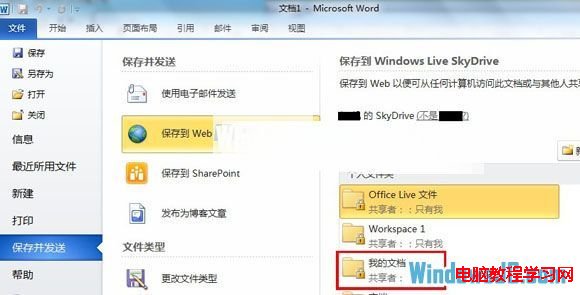
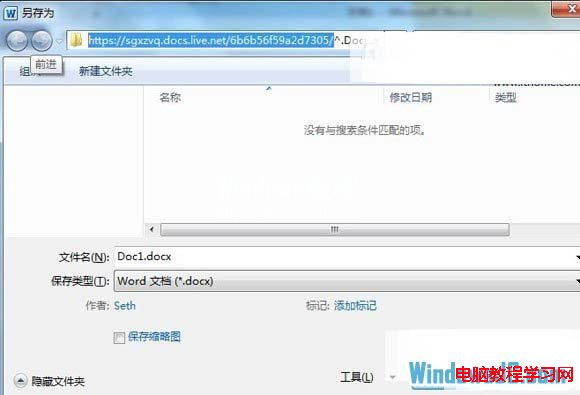
- 開啟 Word 2010 →「檔案」→「儲存並傳送」→「儲存到 Web」→ 登入 SkyDrive → 選擇資料夾 → 複製網址列路徑(至資料夾上一層)。
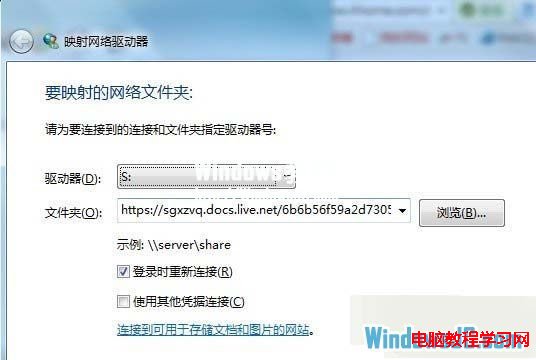
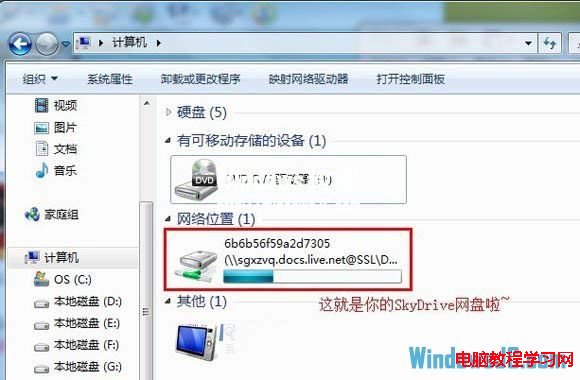
- 「電腦」右鍵 →「對應網路磁碟機」→ 指定磁碟機代號 → 貼上 SkyDrive 路徑 → 完成。
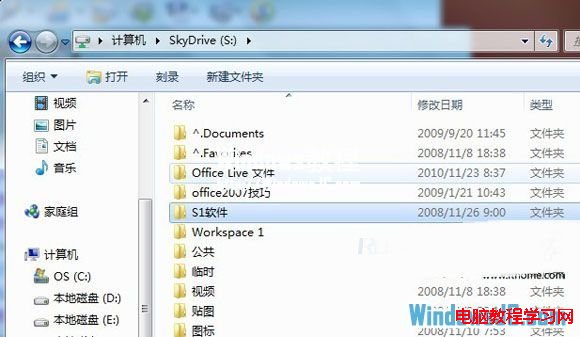
- 總管中右鍵磁碟機 → 重新命名(如「SkyDrive」)→ 完成。
優勢
- HTTPS 加密傳輸,安全性高
- 像本地硬碟一樣拖拉、複製、另存新檔
- 離線快取支援(需啟用離線檔案)
注意
SkyDrive 已更名為 OneDrive,新版 Windows 建議直接使用官方同步用戶端。