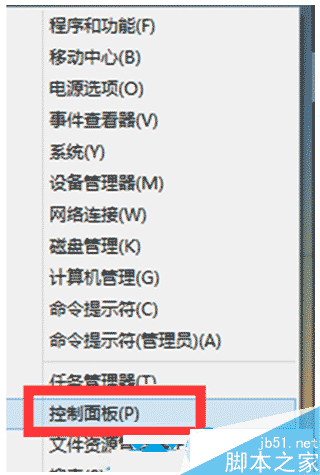
Windows 8 引入 Metro 介面,傳統開始選單改為滑鼠移至左下角呼叫。關機路徑:左下角→「設定」→「電源」→「關機」。Metro 應用無需手動關閉,切換離開即進入「暫停」狀態,釋放 CPU/網路資源,僅保留記憶體以便快速恢復。
Windows 10 Build 9926 禁用 OneDrive 開機自動啟動:工作管理員一鍵關閉
Win7 破解 Adobe Acrobat 9 Pro 教程:刪除授權檔案並輸入序號
Win10 版《Outlook 郵件與行事曆》鍵盤快速鍵完整大全:適用 PC 與 Mobile
Win10 修改工作列顏色教學:關閉自動挑色、自訂主題色
Win10 兩個月裝機率破 7%,成全球第四大桌面作業系統
Windows 10 桌面建立寬頻連線捷徑:一鍵撥號上網圖文教學
Win10 10130 版本無聲音?音訊驅動採樣率調整解決法
Win10 正式版後首個 Build 更新即將推送?TH2 分支內測在即