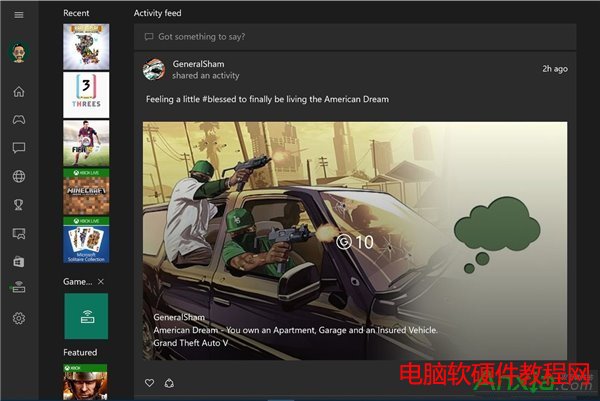
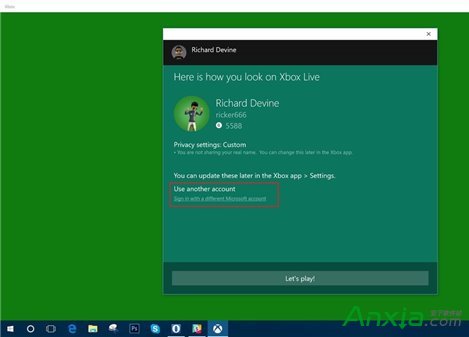
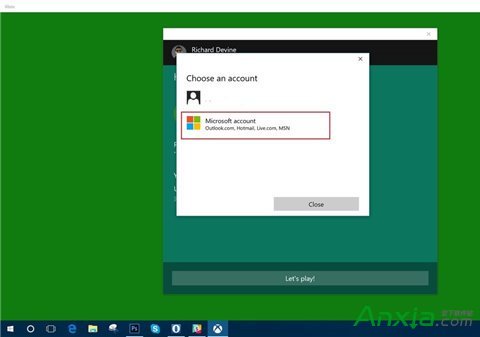
Win10 Xbox 應用程式登入時出現錯誤代碼 0x800488AB,提示前往 Xbox.com 登入但無效。實測有效的解法是:在錯誤視窗點選「使用其他 Microsoft 帳戶登入」,重新輸入同一組帳號密碼即可修復。
原理推測: 錯誤視窗的預設帳戶連結可能帶有舊有權杖或快取狀態,重新輸入帳號會強制重新驗證並取得新權杖。此法不保證 100% 有效,但許多用戶實測成功,遇到此錯誤優先嘗試。
微軟下架 Win10 官方 ISO 下載頁面 媒體建立工具仍可用
Windows 8.1 平板電腦將儲存卡策略改為「更好的效能」提升讀寫速度
Windows Server 2003 實現單用戶遠端桌面 (Console 模式) 連線:依客戶端版本加參數
Win10 新功能確認:開始選單與開始畫面融為一體,可調整大小功能將回歸
Win10 控制台在哪?三種快速開啟控制台的方法圖解
Windows 8 遠端桌面連線教學:從開始畫面啟動連線
Win10 磁碟使用率 100% 卡頓?10 招優化徹底解決
Windows 10/8.1/7 全方位效能評測 (3):應用效能 - Win 7/8.1 仍優於 Win 10,Edge 載入速度優於 IE 11