獲取正版 Enterprise Edition ISO,刻錄光盤或制作 USB 啟動盤。確認硬件兼容性 (特別是聲卡、網卡、顯卡驅動)。
8 與 B 極易混淆,建議複製貼上或多次核對。手動安裝廠商驅動即可解決。
現象:設備管理器無聲音設備,光盤驅動報「未發現相關硬件」。
根因:主板過新,Windows Server 2003 RTM 內核缺乏對應 HD Audio 總線驅動。
解決:連接 Internet →「Windows Update」→安裝所有關鍵更新 (含內核補丁) → 重啟 → 系統自動檢測到聲卡並安裝驅動。
下載修改版 UxTheme.dll 覆蓋 C:\Windows\System32 → 重啟 → 進入桌面報「系統文件損壞」→ 僅顯示壁紙,Explorer 未加載。
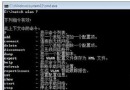
Ctrl+Shift+Esc 打開任務管理器 →「文件」→「新建任務」→ cmd。cd %windir%\system32\dllcachedir UxTheme.dll 確認存在備份。copy UxTheme.dll %windir%\system32\UxTheme.dll → 提示覆蓋輸入 Y。cd, dir, copy) 關鍵時刻救命。Windows Server 2003 IPsec 運作驗證與疑難排解完整指南
Windows 2000 伺服器兩大怪異故障實戰:事件日誌暴增與時間同步服務狂佔 CPU
Windows Server 2008 R2 標準版中文版新功能亮點與授權資訊
Windows Server 2008 常見問題快速解決與基礎安全加固清單
Windows Server 2008 實作軟路由完全指南:從靜態路由到 RIP 動態路由、封包篩選與路由表深度解讀
Windows Server 2003 編輯 Boot.ini 與 ARC 路徑修復完整指南