Windows Server 2003 關機流程因「關機事件追蹤程式」與多項關機前檢查導致速度緩慢。兩項設定可大幅加速關機。
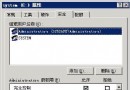
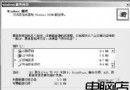
gpedit.msc → 計算機配置\管理範本\系統\顯示關機事件追蹤程式 → 已停用。消除每次關機必填的原因選擇對話框。
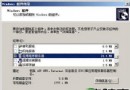
「顯示內容\螢幕保護程式\電源\進階」→「按下電腦電源按鈕時」選擇「關機」。按機殼電源鍵即可直接關機,跳過關機前的大量檢查。
雙重優化後,關機速度明顯提升,適合個人或測試環境使用。
Windows Server 2008 R2 電源管理新特性:Core Parking、能源報表與預算管控深度解析
Windows Server 2003 設定 DNS 實現 Internet 訪問完整指南
Windows Server 2003 系統服務完整配置與管理指南
Windows Server 2008 遠端桌面多使用者同帳號並發登入設定指南
解決 Windows Server 2008 / Vista 顯示卡硬體加速被鎖定灰色無法調整的完整方案
Windows Server 2003 移動裝置無法顯示磁碟代號完整解決方案
修改登錄檔縮短 Windows 關機等待時間:WaitToKillServiceTimeout / WaitToKillAppTimeout / HungAppTimeout