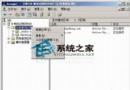
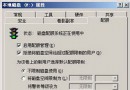
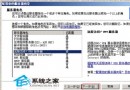
防止一般使用者隨意執行伺服器上的應用程式,僅允許執行白名單內的程式。
gpedit.msc。notepad.exe、calc.exe、mspaint.exe、winword.exe 等)。Windows Server 2003 四大 Web 管理介面部署指南:列印、終端、串流媒體、遠端維護
Windows Server 2003 內建郵件伺服器 (POP3/SMTP) 完整部署與用戶端設定指南
Windows Server 2003 網域控制器密碼原則修改完整指南
Windows 2000/XP 桌面主題跨版本共享完整教學:內建 themes.exe 隱藏功能
Windows Server 2003 系統優化六大必殺技:主題、登入、關機、IE、聲音、DirectX
Windows Server 2003 內建免費燒錄工具 Cdburn.exe / Dvdburn.exe 完整使用指南