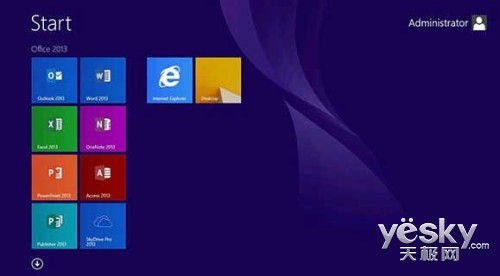
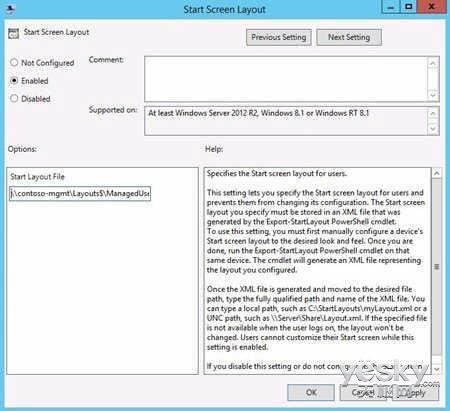
Windows 8.1 Enterprise 提供 開始畫面控制 功能,讓 IT 管理員設定預設磚佈局並防止使用者變更,適合企業統一管理環境。
Export-StartLayout –As XML –Path \\contoso-mgmt\Layouts$\ManagedUser.xml
gpedit.msc
套用後,使用者無法新增、移除、重新排序磚,開始畫面完全鎖定。另可下載 Win8.1 企業評估版體驗:下載連結。
Win8 多重開機環境下修改預設啟動系統教學
Win 8 軟體精選:Surface 移動辦公必備利器——《清單》動態磁貼任務管理、更多辦公應用推薦
U 盤安裝 Win8 系統完整圖文教程:U大師啟動盤製作、BIOS 設定、一鍵還原全流程
Windows 8.1 遠端桌面連線設定與開啟完整教學
Windows 8 硬碟安裝與常用軟體設定完整筆記
Win8 關機方法大全:六種關機技巧與自製開始畫面關機磁貼教學
Win 8 軟體精選:聽音樂看電影的閒適生活——多米音樂、留聲電台、風行視頻、QQ 音樂、PPTV 聚力
解決 Win8.1 遊戲滑鼠指標凍結延遲 官方修補程式與相容性設定雙管齊下